ComfyUI: 1-Click Installer, Presets and Tutorials
Our maintained ComfyUI auto installer (Windows, Linux, RunPod, Massed Compute, SimplePod) with Sage Attention, Triton and ready presets, plus every ComfyUI tutorial, update log and preset release.

LongCat Avatar Tutorial: Turn Your Photo and Voice Into a Talking Video
LongCat Avatar 1.6 turns one photo and one audio file into a lip-synced talking video on your own GPU; our 3-step preset runs 2.9x faster than 8 steps.

ComfyUI Auto Installer: 1-Click Windows, Linux & Cloud With Presets
ComfyUI auto installer that sets up Sage Attention, Triton, xFormers and Flash Attention in one click, with ready presets for image, video and lip sync models.
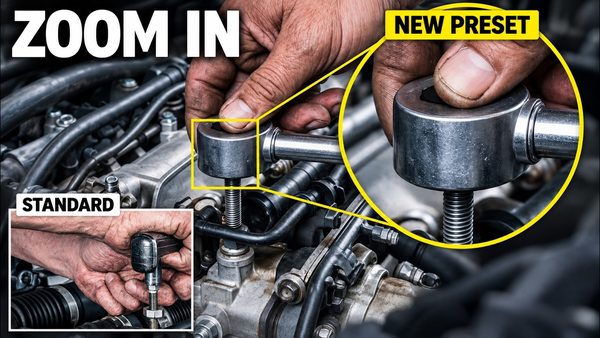
MiniMax H3 Image: New Preset Fixes Tiny-Detail Errors at 16 MP
MiniMax H3 Image gets a new text-to-image preset that draws small objects such as watch gears, gem settings and tools more correctly at 16 MP in 6 steps.
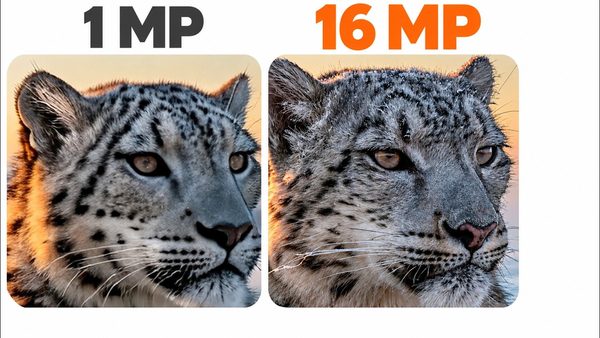
MiniMax H3 Image in ComfyUI: 16 MP Images and Edits in 6 Steps
MiniMax H3 Image is a new 33.1B model that generates and edits 16 MP pictures in 6 steps on your own GPU; our ComfyUI V150 ships two ready presets for it.

Pika H3 Flex Presets for ComfyUI & SwarmUI: Video With Synced Sound
Pika H3 Flex from Pika Labs now runs in ComfyUI and SwarmUI presets: a 5-second 1344 x 768 clip with stereo sound takes about a minute on an RTX 5090.
ComfyUI & SwarmUI Update: Anima Character Transfer, MOSS-Image Control
ComfyUI V146 and SwarmUI Model Downloader V186 add Anima one-image character transfer and MOSS-Image color and depth control, plus 91 SwarmUI presets in V85.

Higgsfield Genjutsu Character Replace Locally: ComfyUI & SwarmUI
MiniMax H3 Genjutsu presets replace the person in any video with your own character from one image, keeping the clip's motion, camera and original sound.
ComfyUI Latest Updates: New Models, Presets and Improvements
ComfyUI update log with the latest four releases; V144 adds ten presets for Fibo 2.0, MOSS Image Edit and FastH3 Omni, for 106 ready presets in total.

ComfyUI Install & FLUX 3 Klein: The Complete Beginner Tutorial
ComfyUI beginner tutorial: install on Windows and learn FLUX 3 Klein with 16 core examples, precise image edits, RTX 5090 tests and launcher tuning.
ComfyUI Improvements for MiniMax H3 Video Continuation and LTX 2.5
ComfyUI V131 lets MiniMax H3 continue videos from the final 1 to 56 frames with its native clip guide, and V129 adds 8 official LTX 2.5 presets with audio.

MiniMax H3 Infinite Video: Make 2-Hour Movies in ComfyUI (0-Shot)
MiniMax H3 turns a folder of scene prompts into one long, coherent AI movie in ComfyUI, locally and 0-shot, with every clip merged automatically.

Ideogram 4 JSON Prompting Tutorial With Ultimate Image Captioner Pro
Ideogram 4 runs locally in SwarmUI and ComfyUI with Turbo, Balanced and Highest Quality presets; the masterclass teaches accurate JSON prompts.
LTX 2 Ultimate Tutorial: ComfyUI & SwarmUI on Windows and Cloud
LTX2 video tutorial covering ComfyUI and SwarmUI setup, model downloads and ready presets plus Z-Image Base, on GPUs with as low as 6 GB VRAM.

BF16 vs GGUF Q8 vs FP8 Scaled vs NVFP4: Quality and Speed Comparison
BF16, GGUF Q8, FP8 Scaled and NVFP4 precisions compared for speed and quality in ComfyUI with CUDA 13; NVFP4 ran 87% faster than GGUF Q8 on Z Image Turbo.

NVFP4 With CUDA 13 Tutorial: 100%+ Speed Gain & Quality Comparison
NVFP4 models run over 100% faster in ComfyUI and SwarmUI with CUDA 13; this full tutorial compares NVFP4 quality on FLUX 2, Z Image Turbo and FLUX 1 in grids.
SwarmUI to ComfyUI in 1-Click Tutorial: 40+ Presets, Shared Models
SwarmUI exports any preset as a ComfyUI workflow in 1 click; this tutorial runs Z Image Turbo with ControlNet and Wan 2.2 image-to-video presets in ComfyUI.

ComfyUI & SwarmUI on Massed Compute and RunPod: Cloud GPU Tutorial
ComfyUI and SwarmUI set up in 1 click on Massed Compute and RunPod cloud GPUs, with multi-GPU backends for faster Qwen, FLUX and Wan 2.2 generation.

MultiTalk Levelled Up: New ComfyUI Workflows for Better Animation
MultiTalk turns a static image and audio into talking and singing videos; 4 new ComfyUI workflow categories give better animation at the same VRAM and speed.

ComfyUI & SwarmUI on RunPod Tutorial: 1-Click Setup With RTX 5000 GPUs
ComfyUI and SwarmUI on RunPod, step by step: install both with 1 click, connect ComfyUI as the SwarmUI backend and generate FLUX images and Wan 2.1 videos.
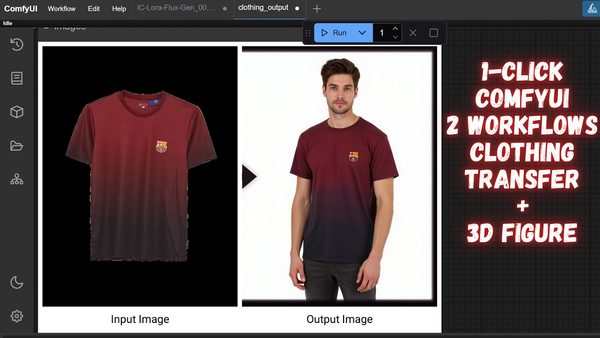
ComfyUI Clothing Transfer & 3D Figure Workflows: 1-Click Tutorial
ComfyUI workflows that transfer any clothing onto a new person and turn any person into a 3D toy figure, installed in 1 click and run with FLUX Dev models.
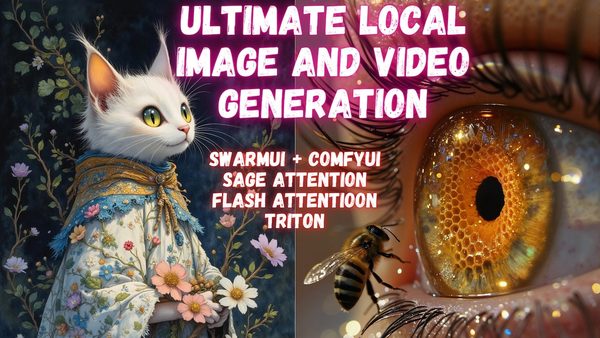
SwarmUI With ComfyUI Backend Tutorial: Max Speed Install on Windows
SwarmUI and ComfyUI Windows tutorial: properly install ComfyUI in a VENV with 1 click, then use it as the SwarmUI backend for maximum performance.
Video tutorials