Zero to Hero Stable Diffusion 3 Tutorial with Amazing SwarmUI SD Web UI that Utilizes ComfyUI
ComfyUI and SwarmUI on RunPod, step by step: install both with 1 click, connect ComfyUI as the SwarmUI backend and generate FLUX images and Wan 2.1 videos.
Published Jun 16, 2024 · 35,660 views · Watch on YouTube
Get the app and files

ComfyUI & SwarmUI on RunPod Tutorial: 1-Click Setup With RTX 5000 GPUs
ComfyUI and SwarmUI on RunPod, step by step: install both with 1 click, connect ComfyUI as the SwarmUI backend and generate FLUX images and Wan 2.1 videos.
SwarmUI Master Tutorial: Stable Diffusion 3.5 Large & FLUX Models
SwarmUI master tutorial for Stable Diffusion 3.5 Large, FLUX Dev, SD 1.5, SDXL and SD3 on your PC and in the cloud, led by a 70-chapter main Windows video.

Genmo Mochi 1 Tutorial: Free Local AI Video Generation in SwarmUI
Genmo Mochi 1, a 10B parameter open source video model, runs free on your PC with SwarmUI; the full tutorial covers setup, best settings and VAE tiling.
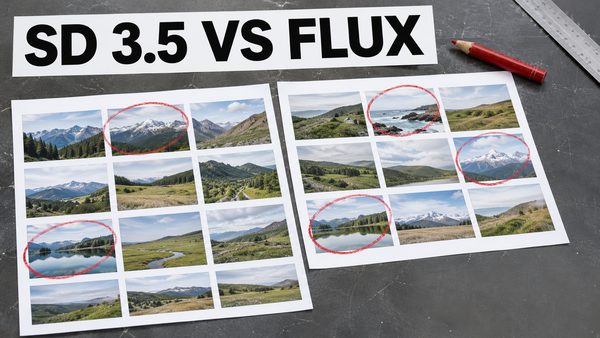
SD 3.5 Large vs FLUX Dev: Best Sampler, Scheduler & FP8 Comparison
Stable Diffusion 3.5 Large tested with 62 prompts to find the best sampler and scheduler, plus an SD 3.5 Large vs FLUX Dev comparison with raw grids shared.

FLUX LoRA vs Fine Tuning / DreamBooth Comparison: Batch Size 1 vs 7
FLUX LoRA and Fine Tuning / DreamBooth compared with 15 and 256 training images at batch size 1 and 7, for both realism and stylization.

Kohya FLUX LoRA & Fine Tuning Research and Early Configs (Legacy)
Kohya FLUX LoRA and fine tuning research from August 2024 with early configs, Clip-L and multi-GPU tests; the post is deprecated in favor of newer tutorials.
Chapters
- 0:00 Introduction to the Stable Diffusion 3 (SD3) and SwarmUI and what is in the tutorial
- 4:12 Architecture and features of SD3
- 5:05 What each different model files of Stable Diffusion 3 means
- 6:26 How to download and install SwarmUI on Windows for SD3 and all other Stable Diffusion models
- 8:42 What kind of folder path you should use when installing SwarmUI
- 10:28 If you get installation error how to notice and fix it
- 11:49 Installation has been completed and now how to start using SwarmUI
- 12:29 Which settings I change before start using SwarmUI and how to change your theme like dark, white, gray
- 12:56 How to make SwarmUI save generated images as PNG
- 13:08 How to find description of each settings and configuration
- 13:28 How to download SD3 model and start using on Windows
- 13:38 How to use model downloader utility of SwarmUI
- 14:17 How to set models folder paths and link your existing models folders in SwarmUI
- 14:35 Explanation of Root folder path in SwarmUI
- 14:52 VAE of SD3 do we need to download?
- 15:25 Generate and model section of the SwarmUI to generate images and how to select your base model
- 16:02 Setting up parameters and what they do to generate images
- 17:06 Which sampling method is best for SD3
- 17:22 Information about SD3 text encoders and their comparison
- 18:14 First time generating an image with SD3
- 19:36 How to regenerate same image
- 20:17 How to see image generation speed and step speed and more information
- 20:29 Stable Diffusion 3 it per second speed on RTX 3090 TI
- 20:39 How to see VRAM usage on Windows 10
- 22:08 And testing and comparing different text encoders for SD3
- 22:36 How to use FP16 version of T5 XXL text encoder instead of default FP8 version
- 25:27 The image generation speed when using best config for SD3
- 26:37 Why VAE of the SD3 is many times better than previous Stable Diffusion models, 4 vs 8 vs 16 vs 32 channels VAE
- 27:40 How to and where to download best AI upscaler models
- 29:10 How to use refiner and upscaler models to improve and upscale generated images
- 29:21 How to restart and start SwarmUI
- 32:01 The folders where the generated images are saved
- 32:13 Image history feature of SwarmUI
- 33:10 Upscaled image comparison
- 34:01 How to download all upscaler models at once
- 34:34 Presets feature in depth
- 36:55 How to generate forever / infinite times
- 37:13 Non-tiled upscale caused issues
- 38:36 How to compare tiled vs non-tiled upscale and decide best
- 39:05 275 SwarmUI presets (cloned from Fooocus) I prepared and the scripts I coded to prepare them and how to import those presets
- 42:10 Model browser feature
- 43:25 How to generate TensorRT engine for huge speed up
- 43:47 How to update SwarmUI
- 44:27 Prompt syntax and advanced features
- 45:35 How to use Wildcards (random prompts) feature
- 46:47 How to see full details / metadata of generated images
- 47:13 Full guide for extremely powerful grid image generation (like X/Y/Z plot)
- 47:35 How to put all downloaded upscalers from zip file
- 51:37 How to see what is happening at the server logs
- 53:04 How to continue grid generation process after interruption
- 54:32 How to open grid generation after it has been completed and how to use it
- 56:13 Example of tiled upscaling seaming problem
- 60:30 Full guide for image history
- 62:22 How to directly delete images and star them
- 63:20 How to use SD 1.5 and SDXL models and LoRAs
- 66:24 Which sampler method is best
- 66:43 How to use image to image
- 68:43 How to use edit image / inpainting
- 70:38 How to use amazing segmentation feature to automatically inpaint any part of images
- 75:55 How to use segmentation on existing images for inpainting and get perfect results with different seeds
- 78:19 More detailed information regarding upscaling and tiling and SD3
- 80:08 Seams perfect explanation and example and how to fix it
- 81:09 How to use queue system
- 81:23 How to use multiple GPUs with adding more backends
- 84:38 Loading model in low VRAM mode
- 85:10 How to fix colors over saturation
- 87:00 Best image generation configuration for SD3
- 87:44 How to apply upscale to your older generated images quickly via preset
- 88:39 Other amazing features of SwarmUI
- 88:49 Clip tokenization and rare token OHWX
About this video
Do not skip any part of this tutorial to master how to use Stable Diffusion 3 (SD3) with the most advanced generative AI open source APP SwarmUI. Automatic1111 SD Web UI or Fooocus are not supporting the #SD3 yet. Therefore, I am starting to make tutorials for SwarmUI as well. #StableSwarmUI is officially developed by the StabilityAI and your mind will be blown after you watch this tutorial and learn its amazing features. StableSwarmUI uses #ComfyUI as the back end thus it has all the good features of ComfyUI and it brings you easy to use features of Automatic1111 #StableDiffusion Web UI with them. I really liked SwarmUI and planning to do more tutorials for it.
🔗 The Public Post (no login or account required) Shown In The Video With The Links ➡️ https://www.patreon.com/posts/stableswarmui-3-106135985
0:00 Introduction to the Stable Diffusion 3 (SD3) and SwarmUI and what is in the tutorial
4:12 Architecture and features of SD3
5:05 What each different model files of Stable Diffusion 3 means
6:26 How to download and install SwarmUI on Windows for SD3 and all other Stable Diffusion models
8:42 What kind of folder path you should use when installing SwarmUI
10:28 If you get installation error how to notice and fix it
11:49 Installation has been completed and now how to start using SwarmUI
12:29 Which settings I change before start using SwarmUI and how to change your theme like dark, white, gray
12:56 How to make SwarmUI save generated images as PNG
13:08 How to find description of each settings and configuration
13:28 How to download SD3 model and start using on Windows
13:38 How to use model downloader utility of SwarmUI
14:17 How to set models folder paths and link your existing models folders in SwarmUI
14:35 Explanation of Root folder path in SwarmUI
14:52 VAE of SD3 do we need to download?
15:25 Generate and model section of the SwarmUI to generate images and how to select your base model
16:02 Setting up parameters and what they do to generate images
17:06 Which sampling method is best for SD3
17:22 Information about SD3 text encoders and their comparison
18:14 First time generating an image with SD3
19:36 How to regenerate same image
20:17 How to see image generation speed and step speed and more information
20:29 Stable Diffusion 3 it per second speed on RTX 3090 TI
20:39 How to see VRAM usage on Windows 10
22:08 And testing and comparing different text encoders for SD3
22:36 How to use FP16 version of T5 XXL text encoder instead of default FP8 version
25:27 The image generation speed when using best config for SD3
26:37 Why VAE of the SD3 is many times better than previous Stable Diffusion models, 4 vs 8 vs 16 vs 32 channels VAE
27:40 How to and where to download best AI upscaler models
29:10 How to use refiner and upscaler models to improve and upscale generated images
29:21 How to restart and start SwarmUI
32:01 The folders where the generated images are saved
32:13 Image history feature of SwarmUI
33:10 Upscaled image comparison
34:01 How to download all upscaler models at once
34:34 Presets feature in depth
36:55 How to generate forever / infinite times
37:13 Non-tiled upscale caused issues