Wan 2.2 vs Wan 2.1: Same Prompt, Huge Difference in AI Video (8-Step Presets)
SwarmUI auto installer with extensions plus a unified AI models downloader for SwarmUI, ComfyUI, Automatic1111 and Forge, with 105 ready SwarmUI presets.
Published Aug 18, 2025 · 6,743 views · Watch on YouTube
Get the app and files
SwarmUI Auto Installer & Ultimate Image and Video Model Downloader
SwarmUI auto installer with extensions plus a unified AI models downloader for SwarmUI, ComfyUI, Automatic1111 and Forge, with 105 ready SwarmUI presets.
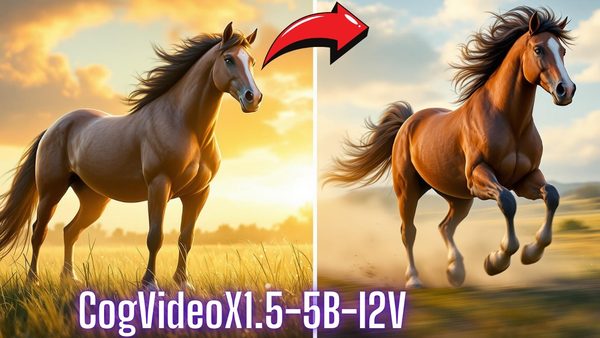
CogVideoX1.5-5B-I2V Image to Video: 1-Click Windows & Cloud Installers
CogVideoX1.5-5B-I2V app turns an image into 5 or 10 second videos at 16 FPS; 1280x720 with 81 frames needs about 18 GB VRAM.
Qwen Image LoRA Training: Stage 1 Results and Pre-Made Configs
Qwen Image LoRA results from more than 35 Stage 1 trainings with SECourses Musubi Tuner; the published pre-made configs train on GPUs with as low as 6 GB.
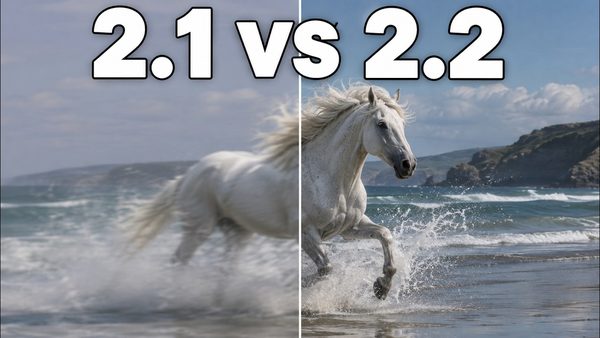
Wan 2.2, FLUX Krea & Qwen Image Upgraded: Fast 8-Step Presets Tutorial
Wan 2.2, Qwen Image, FLUX and FLUX Krea get new SwarmUI presets after a week of research, and new 8-step LoRAs make Wan 2.2 video and Qwen Image fast.
Chapters
- 0:00 Introduction to New State-of-the-Art AI Models
- 0:43 Wan 2.2 vs Wan 2.1 Image-to-Video Comparison
- 1:43 Huge Improvement with New Wan 2.2 Text-to-Video Presets
- 2:44 More Examples of New Wan 2.2 Presets (Text & Image-to-Video)
- 3:08 Using RIFE for Smooth Frame Interpolation (2x FPS)
- 4:30 Image Generation: Wan 2.2 Realism vs FLUX Dev & Krea Dev
- 5:08 Introducing Ultra-Fast Qwen Image 8-Step Preset
- 5:44 Coming Soon: Qwen Image Editing Capabilities Preview
- 6:10 Comparing Qwen Image Presets (High Quality, Fast & Realism)
- 7:14 Behind the Scenes: The Extensive Testing Process for Presets
- 7:42 FLUX Krea Dev Training Experiments (DreamBooth & LoRA)
- 8:21 Updates: Qwen Training App, ComfyUI & SwarmUI Installers
- 8:59 How to Update SwarmUI and ComfyUI Installations
- 10:05 Importing New Presets into SwarmUI
- 10:51 Easiest Way: Using the Automatic Preset Import Script
- 12:22 Using the Model Downloader for Required AI Models
- 13:22 Configuring Downloader for ComfyUI & Forge WebUI
- 15:31 Demo: Generating a Wan 2.2 Image-to-Video (8-Steps)
- 17:02 Using Google Studio AI for High-Quality Prompt Generation
- 18:19 Starting the Generation & Multi-GPU Trick
- 19:46 Advanced Video Options: Frames, FPS, and RIFE Settings
- 21:11 Demo: Generating a Wan 2.2 Text-to-Video (8-Steps)
- 22:27 Live Result: Image-to-Video Generation Finished
- 23:34 Demo: Ultra-Fast Image Generation with Qwen (8-Steps)
- 24:50 Live Result: Text-to-Video Generation Finished (Amazing Quality)
- 25:21 Generation Speed Analysis & Downloading Your Video
- 26:38 Comparing FLUX Krea Dev & Qwen Realism Presets
- 28:46 How to Upscale Images to 2x High Resolution
- 29:47 Summary of New Presets and Recommendations
- 30:40 In-Depth: Training on FLUX Krea Dev (LoRA & DreamBooth)
- 33:48 Coming Soon: One-Click Qwen Image Training Application
- 36:11 Join The Community (Discord & Reddit) & Final Words
About this video
Wan 2.2, Qwen Image, FLUX, FLUX Krea, all these models are the SOTA open-source models and in this master tutorial I will show you how to use these models in the easiest, most performant, and most accurate way. After doing almost one week of research, I have determined the very best presets and prepared this tutorial. With literally one click you will be able to install, download models, set presets, and use these amazing models. Wan 2.2 is currently the king of video generation models and now it is super fast with lightx2v Wan2.2-Lightning LoRAs. Moreover, Qwen Image is now ultra-fast with the recently released 8-step LoRA with almost no quality loss. Furthermore, I have updated FLUX and FLUX Krea presets to improve image generation quality. Finally, I have trained FLUX Krea with our existing DreamBooth and LoRA training workflows, analyzed and shared the results in this tutorial. As additional information, I have shown the upcoming Qwen Image editing/inpainting model and the Qwen Image training application I am developing.
▶️ SwarmUI Installers, Presets and Model Downloader App : 🔗 https://www.patreon.com/posts/114517862
▶️ ComfyUI Backend Installer : 🔗 https://www.patreon.com/posts/105023709
▶️ FLUX / FLUX Krea DreamBooth Training : 🔗 https://www.patreon.com/posts/112099700
▶️ FLUX / FLUX Krea LoRA Training : 🔗 https://www.patreon.com/posts/110879657
▶️ Main SwarmUI Installation Tutorial : 🔗 https://youtu.be/fTzlQ0tjxj0
▶️ RunPod SwarmUI Installation Tutorial : 🔗 https://youtu.be/R02kPf9Y3_w
▶️ Massed Compute SwarmUI Installation Tutorial (starting 21:32) : 🔗 https://youtu.be/8cMIwS9qo4M
Video Chapters
0:00 Introduction to New State-of-the-Art AI Models
0:43 Wan 2.2 vs Wan 2.1 Image-to-Video Comparison
1:43 Huge Improvement with New Wan 2.2 Text-to-Video Presets
2:44 More Examples of New Wan 2.2 Presets (Text & Image-to-Video)
3:08 Using RIFE for Smooth Frame Interpolation (2x FPS)
4:30 Image Generation: Wan 2.2 Realism vs FLUX Dev & Krea Dev
5:08 Introducing Ultra-Fast Qwen Image 8-Step Preset
5:44 Coming Soon: Qwen Image Editing Capabilities Preview
6:10 Comparing Qwen Image Presets (High Quality, Fast & Realism)
7:14 Behind the Scenes: The Extensive Testing Process for Presets
7:42 FLUX Krea Dev Training Experiments (DreamBooth & LoRA)
8:21 Updates: Qwen Training App, ComfyUI & SwarmUI Installers
8:59 How to Update SwarmUI and ComfyUI Installations
10:05 Importing New Presets into SwarmUI
10:51 Easiest Way: Using the Automatic Preset Import Script
12:22 Using the Model Downloader for Required AI Models
13:22 Configuring Downloader for ComfyUI & Forge WebUI
15:31 Demo: Generating a Wan 2.2 Image-to-Video (8-Steps)
17:02 Using Google Studio AI for High-Quality Prompt Generation
18:19 Starting the Generation & Multi-GPU Trick
19:46 Advanced Video Options: Frames, FPS, and RIFE Settings
21:11 Demo: Generating a Wan 2.2 Text-to-Video (8-Steps)
22:27 Live Result: Image-to-Video Generation Finished
23:34 Demo: Ultra-Fast Image Generation with Qwen (8-Steps)
24:50 Live Result: Text-to-Video Generation Finished (Amazing Quality)
25:21 Generation Speed Analysis & Downloading Your Video
26:38 Comparing FLUX Krea Dev & Qwen Realism Presets
28:46 How to Upscale Images to 2x High Resolution
29:47 Summary of New Presets and Recommendations
30:40 In-Depth: Training on FLUX Krea Dev (LoRA & DreamBooth)
33:48 Coming Soon: One-Click Qwen Image Training Application