Wan 2.1 AI Video Model: Ultimate Step-by-Step Tutorial for Windows & Affordable Private Cloud Setup
Wan 2.1 Gradio app for text to video, image to video and video to video that runs with as low as 4 GB VRAM and batch processes whole folders.
Published Feb 27, 2025 · 50,869 views · Watch on YouTube
Get the app and files
Wan 2.1 Gradio App: 1-Click Install, 4 GB VRAM, T2V, I2V & V2V
Wan 2.1 Gradio app for text to video, image to video and video to video that runs with as low as 4 GB VRAM and batch processes whole folders.

Wan 2.1 Windows App Now Supports Sage Attention, 37% Faster
SECourses Wan 2.1 Windows app now runs with Sage Attention, 37% faster than Flash Attention, and is 1-click to install into a Python 3.10 venv without WSL.
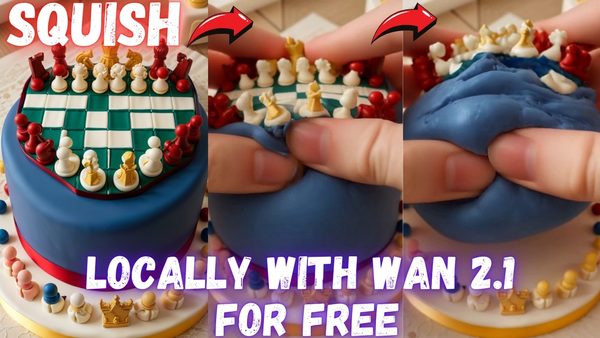
Wan 2.1 Gradio App Updates Tutorial: Squish Effect LoRA Videos Locally
Wan 2.1 Gradio app now supports LoRAs; this tutorial makes squishing videos with the Squish Effect LoRA and shows RIFE FPS boost, FP8/BF16 and config saving.
Wan 2.1 Gradio App Released: T2V, I2V and V2V From 4 GB VRAM
Wan 2.1 Ultra Advanced Gradio app release: text to video, image to video and video to video, with the 1.3B model running in as low as 3.5 GB VRAM.
Chapters
- 0:00 Introduction to Wan AI Wan 2.1 Video Generation Model
- 2:12 Non-Cherry Pick Wan AI 2.1 Video Examples with Prompts
- 3:30 So good anime video generation example
- 3:48 Importance of Prompts and Negative Prompts
- 5:33 How to 1-Click install Wan 2.1 AI on Windows - Windows Tutorial Part - Main Part
- 8:07 How to download Wan 2.1 AI Video Models and detailed explanation of each model
- 10:12 Troubleshooting Model Download Failures - remove HF_HUB_ENABLE_HF_TRANSFER
- 10:55 How to move models of your previous installation into a new fresh installation
- 11:28 How to start Wan 2.1 AI APP after installation and model downloads have been completed
- 11:50 Wan AI APP Gradio Interface Overview and Model Selection
- 12:23 Prompt Enhancement Feature
- 13:17 Text-to-Video Generation Demo and Speed on RTX 5090 and check VRAM usage with nvitop
- 13:40 How much overclock I made on RTX 5090
- 13:55 How to get faster results with lower number of steps
- 14:13 How to start Gradio Wan AI APP on second GPU and Performance Comparison on RTX 3090 Ti
- 14:28 How to Set CUDA_VISIBLE_DEVICES
- 14:41 How to change seed, saved video FPS, number of frames (duration of video)
- 17:04 Output Folder and Multi-line Prompt Support
- 17:41 Generating Multiple Videos and Random Seeds
- 18:10 Using Video-to-Video Feature
- 18:45 Video-to-Video Demonstration and Denoising
- 19:38 Exploring 14 Billion Parameter Text-to-Video Model
- 21:30 Testing 14 Billion Parameter 480 Pixel Image-to-Video Model
- 22:15 Prompting with Claude AI for Image-to-Video
- 23:26 Image-to-Video Generation Demo and Speed on RTX 5090 and 3090 Ti
- 23:45 Crucial Tips: Aspect Ratio and Cropping for Image-to-Video
- 24:32 Step Speeds for 720 Pixel Image-to-Video Model on RTX 5090 and 3090 Ti
- 24:57 Using Wan AI on Massed Compute Cloud Service
- 25:31 Registering and Setting Up Massed Compute
- 26:37 Deploying a Machine and Connecting with Thinlinc Client
- 28:09 File Transfer to Massed Compute Shared Folder
- 29:32 Installing Wan AI on Massed Compute
- 30:13 Downloading Models on Massed Compute (Fast Download Speed)
- 31:00 Starting the Gradio Interface on Massed Compute
- 31:20 Accessing Gradio Interface from Local Computer
- 31:56 Generating Video on Massed Compute and Monitoring Progress
- 32:46 Downloading Generated Videos from Massed Compute
- 33:30 Terminating Massed Compute Machine (Caution)
- 34:04 Faster Generation Options on Massed Compute (H100, A100, L40S)
- 34:31 Running Multiple Applications in Parallel on Massed Compute
- 35:08 Using Wan AI on RunPod Cloud Service
- 35:41 Registering and Setting Up RunPod
- 35:58 Deploying a Pod and Connecting to Jupiter Lab
- 37:50 Uploading and Extracting Installer on RunPod
- 38:10 Installing Wan AI on RunPod
- 38:40 Downloading Models on RunPod (Fast Download Speed)
- 40:00 Starting Gradio Interface on RunPod and Accessing Live Share Link
- 40:37 Testing Generation Speed on RunPod (H100 GPU)
- 43:25 Downloading Generated Videos from RunPod
- 43:55 Stopping and Terminating Rampod Pod (Caution and Resume Option)
About this video
Alibaba’s new Wan 2.1 text-to-video, video-to-video and image-to-video Open Source AI is unbelievable. In this tutorial I will show how you can install Wan 2.1 all publicly published models into your Windows PC with 1-click installation and use them with the easiest possible way. With the Gradio APP I have developed, you will be able to use Wan AI with as low as 3.5GB VRAM having GPUs. Furthermore, for those who want to utilize powerful private cloud GPUs with cheapest possible prices, I will show how to 1-click and install Wan 2.1 on Massed Compute and on RunPod. Additionally, I will compare performance of RTX 3090 TI with RTX 5090 on all Wan 2.1 models. You will be shocked to see performance of RTX 5090. Also the APP I developed supports all RTX 5000 series on Windows with Python VENV natively. You don't need Linux or WSL.
🔗 Full Instructions, Configs, Installers, Information and Links Shared Post (the one used in the tutorial) ⤵️
▶️ https://www.patreon.com/posts/click-to-open-post-used-in-tutorial-123105403
🔗 SECourses Official Discord 9500+ Members ⤵️
▶️ https://discord.com/servers/software-engineering-courses-secourses-772774097734074388
🔗 Stable Diffusion, FLUX, Generative AI Tutorials and Resources GitHub ⤵️
▶️ https://github.com/FurkanGozukara/Stable-Diffusion
🔗 SECourses Official Reddit - Stay Subscribed To Learn All The News and More ⤵️
▶️ https://www.reddit.com/r/SECourses/
🔗 MSI RTX 5090 TRIO FurMark Benchmarking + Overclocking + Noise Testing and Comparing with RTX 3090 TI ⤵️
▶️ https://youtu.be/uV3oqdILOmA
🔗 RTX 5090 Tested Against FLUX DEV, SD 3.5 Large, SD 3.5 Medium, SDXL, SD 1.5, AMD 9950X + RTX 3090 TI ⤵️
▶️ https://youtu.be/jHlGzaDLkto
0:00 Introduction to Wan AI Wan 2.1 Video Generation Model
2:12 Non-Cherry Pick Wan AI 2.1 Video Examples with Prompts
3:30 So good anime video generation example
3:48 Importance of Prompts and Negative Prompts
5:33 How to 1-Click install Wan 2.1 AI on Windows - Windows Tutorial Part - Main Part
8:07 How to download Wan 2.1 AI Video Models and detailed explanation of each model
10:12 Troubleshooting Model Download Failures - remove HF_HUB_ENABLE_HF_TRANSFER
10:55 How to move models of your previous installation into a new fresh installation
11:28 How to start Wan 2.1 AI APP after installation and model downloads have been completed
11:50 Wan AI APP Gradio Interface Overview and Model Selection
12:23 Prompt Enhancement Feature
13:17 Text-to-Video Generation Demo and Speed on RTX 5090 and check VRAM usage with nvitop
13:40 How much overclock I made on RTX 5090
13:55 How to get faster results with lower number of steps
14:13 How to start Gradio Wan AI APP on second GPU and Performance Comparison on RTX 3090 Ti
14:28 How to Set CUDA_VISIBLE_DEVICES
14:41 How to change seed, saved video FPS, number of frames (duration of video)
17:04 Output Folder and Multi-line Prompt Support
17:41 Generating Multiple Videos and Random Seeds
18:10 Using Video-to-Video Feature
18:45 Video-to-Video Demonstration and Denoising
19:38 Exploring 14 Billion Parameter Text-to-Video Model
21:30 Testing 14 Billion Parameter 480 Pixel Image-to-Video Model
22:15 Prompting with Claude AI for Image-to-Video
23:26 Image-to-Video Generation Demo and Speed on RTX 5090 and 3090 Ti
23:45 Crucial Tips: Aspect Ratio and Cropping for Image-to-Video
24:32 Step Speeds for 720 Pixel Image-to-Video Model on RTX 5090 and 3090 Ti