Training Midjourney Level Style And Yourself Into The SD 1.5 Model via DreamBooth Stable Diffusion
Midjourney level style model trained on SD 1.5 pruned ckpt by SECourses; download the safetensors file and YAML and put both into models/Stable-diffusion.
Published Mar 20, 2023 · 15,182 views · Watch on YouTube
Get the app and files
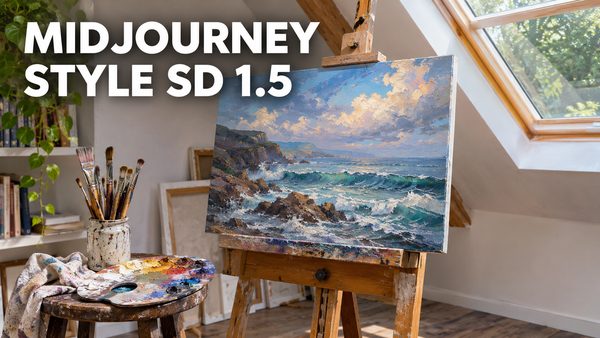
Midjourney Level Style Trained SD 1.5 Model With Video Tutorial
Midjourney level style model trained on SD 1.5 pruned ckpt by SECourses; download the safetensors file and YAML and put both into models/Stable-diffusion.
Chapters
- 0:00 Midjourney level style for free
- 0:35 Most important part of teaching a style into Stable Diffusion
- 1:23 I trained myself into the model and got amazing styled myself
- 1:30 First part of animation generation just like Corridor Crew did in their anime video
- 1:37 Used DreamBooth extension of Web UI on RunPod for training
- 1:57 Why training dataset is 1024x1024 pixels
- 2:25 Which rare token and class token are chosen why
- 2:54 Which dataset I have used to train myself
- 3:05 What kind of training dataset you need to generate consistent animation like Corridor Crew
- 3:27 A better way to connect your RunPod web UI instance
- 3:43 Which DreamBooth settings I have used to train myself into the base model
- 4:10 A good explanation of max resolution settings
- 4:31 Advanced tab settings of DreamBooth extension
- 5:15 Concepts tab of DreamBooth training
- 5:35 FileWords - image captions explanation
- 7:31 Where to see source checkpoint used for training
- 7:49 Why do seperate training instead of multiple concepts training
- 8:08 Style training used settings
- 9:20 Analysis of after style training upon myself trained model
- 10:25 x/y/z plot testing for Brad Pitt face to see overtraining effect
- 11:03 Castle in a forest test to verify not overtrained 1 more time
- 11:32 I had to do another training of my face
- 12:03 Final x/y/z plot comparison to decide best checkpoint
- 13:05 Analysis of final x/y/z plot
- 14:48 What you can do by using this methodology I explained
- 15:05 How to generate good quality, good face distant shots
- 15:10 very important parts of selecting good face training dataset
- 15:25 Why Stable Diffusion can't produce good face distant shots
- 15:33 How to do inpainting to fix your face in distant shots
- 15:48 What settings to use for inpainting to fix faces
- 16:17 How to upscale your image
- 16:30 GFPGAN to further improve face
About this video
RunPod: https://bit.ly/RunPodIO. Discord : https://bit.ly/SECoursesDiscord. Get your own #Midjourney level model for free via Style Teaching. If I have been of assistance to you and you would like to show your support for my work, please consider becoming a patron on 🥰 https://www.patreon.com/SECourses
Playlist of #StableDiffusion Tutorials, Automatic1111 and Google Colab Guides, #DreamBooth, Textual Inversion / Embedding, LoRA, AI Upscaling, Pix2Pix, Img2Img:
https://www.youtube.com/playlist?list=PL_pbwdIyffsmclLl0O144nQRnezKlNdx3
Used training dataset in the video:
https://www.patreon.com/posts/style-teaching-80233878
Style Trained model .safetensors (not includes myself - based on SD 1.5 pruned ckpt):
https://www.patreon.com/posts/midjourney-level-80356527
2400 Photo Of Man classification images:
https://drive.google.com/file/d/1qBf8VyUbmPNalKqm076yOsQjE8BrcG7R/view
0:00 Midjourney level style for free
0:35 Most important part of teaching a style into Stable Diffusion
1:23 I trained myself into the model and got amazing styled myself
1:30 First part of animation generation just like Corridor Crew did in their anime video
1:37 Used DreamBooth extension of Web UI on RunPod for training
1:57 Why training dataset is 1024x1024 pixels
2:25 Which rare token and class token are chosen why
2:54 Which dataset I have used to train myself
3:05 What kind of training dataset you need to generate consistent animation like Corridor Crew
3:27 A better way to connect your RunPod web UI instance
3:43 Which DreamBooth settings I have used to train myself into the base model
4:10 A good explanation of max resolution settings
4:31 Advanced tab settings of DreamBooth extension
5:15 Concepts tab of DreamBooth training
5:35 FileWords - image captions explanation
7:31 Where to see source checkpoint used for training
7:49 Why do seperate training instead of multiple concepts training
8:08 Style training used settings
9:20 Analysis of after style training upon myself trained model
10:25 x/y/z plot testing for Brad Pitt face to see overtraining effect
11:03 Castle in a forest test to verify not overtrained 1 more time
11:32 I had to do another training of my face
12:03 Final x/y/z plot comparison to decide best checkpoint
13:05 Analysis of final x/y/z plot
14:48 What you can do by using this methodology I explained
15:05 How to generate good quality, good face distant shots
15:10 very important parts of selecting good face training dataset
15:25 Why Stable Diffusion can't produce good face distant shots
15:33 How to do inpainting to fix your face in distant shots
15:48 What settings to use for inpainting to fix faces
16:17 How to upscale your image