This Local AI Video Upscaler Adds Far More Detail Than Topaz AI (FlashVSR+, SeedVR2)
SECourses Upscaler Pro turns low-resolution videos and images into sharp 1080p, 2K and 4K results with nine AI engines in one standalone app.
Published Feb 23, 2026 · 3,529 views · Watch on YouTube
Get the app and files
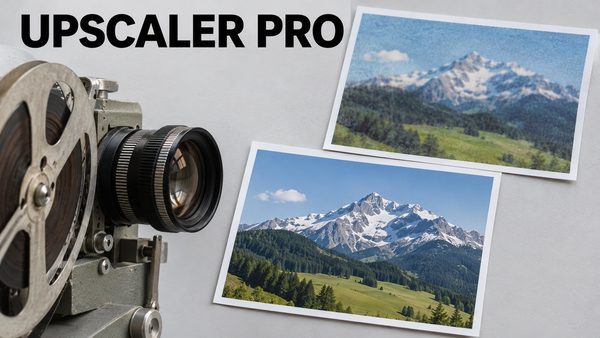
SECourses Upscaler Pro: SeedVR2 & FlashVSR+ Video and Image Upscaler
SECourses Upscaler Pro turns low-resolution videos and images into sharp 1080p, 2K and 4K results with nine AI engines in one standalone app.
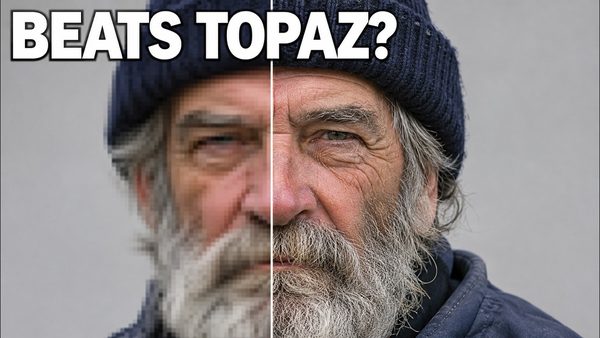
SECourses Upscaler Pro Tutorial: FlashVSR+ & SeedVR2.5 vs Topaz AI
SECourses Upscaler Pro beats Topaz AI by far in side-by-side video tests, using specialized FlashVSR+ and SeedVR2.5 on local GPUs with as little as 8 GB VRAM.
Chapters
- 0:00 Introduction to SECourses Upscaler Pro & Amazing New Features
- 0:29 Comparison: Original Video vs SECourses Pro Upscaled Video
- 0:50 Slider Tool Comparison: Original vs SECourses Upscaler
- 1:06 Comparison: Original Video vs Topaz AI Video Enhance
- 1:19 Slider Tool Comparison: Original vs Topaz AI Quality
- 1:35 Ultimate Comparison: SECourses Upscaler vs Topaz AI
- 2:07 Overview of FlashVSR+ Version and Custom Improvements
- 2:20 Live Studio Level Video Comparison Slider Tool Demonstration
- 3:02 Topaz AI vs Original Video Slider Demonstration in App
- 3:15 SECourses vs Topaz AI Massive Quality Difference Revealed
- 3:35 Running Locally vs Cloud GPUs (RunPod, MassedCompute)
- 3:56 Test Case 2: Viral AI Video Original vs SECourses Upscaled
- 4:17 How to Generate Custom Comparison Videos with Custom Titles
- 4:50 Test Case 2 Slider: Topaz AI vs SECourses FlashVSR
- 5:25 Chunk-Based & Scene-Based Upscaling System Explained
- 5:50 How to Download, Install, and Update the Application Easily
- 6:34 SeedVR2 Model Tricks: Batch Size & Blocks to Swap Setup
- 7:00 Live Demonstration: 4x Image Upscaling with SeedVR2
- 7:36 Optimizing VRAM Usage with Max Blocks to Swap & GGUF Models
- 8:34 FlashVSR+ Video Upscaling Setup & Scene Detection Features
- 9:17 Downscale and 4x Upscale Resolution Configuration Explained
- 9:54 How to Use the Full Resume Capability for Long Video Upscales
- 10:15 Custom Target Resolution Settings & Target Pixel Dimensions
- 10:46 Frame Chunk Size Optimization for Maximum Speed & Quality
- 11:20 Enable DiT Tiling vs VAE Tiling for VRAM Management
- 11:58 Live FlashVSR+ Upscaling Process & Input Chunk Splitting
- 12:43 VRAM Usage Analysis: Upscaling to 4K on a 16GB GPU
- 13:18 Additional SeedVR2 Tricks: Sparse Ratio & Tile Size Limits
- 13:41 Canceling Upscale Jobs & Monitoring RAM/VRAM Release Live
- 13:53 App Features: Health Check, Global Settings & Light/Dark Theme
- 14:15 Queue System, Face Restoration & RIFE Frame Interpolation
- 14:50 Video Output Formats, Codecs & H265 10-bit Encoding Setup
- 15:17 Automatic Comparison Display & Run Metadata Saving Feature
- 16:03 Direct Video Compare Tool & Animated Slider Generation
- 16:34 Multi-Video Comparison Slider (Original vs Topaz vs SECourses)
- 17:32 Testing Default Settings for VRAM Memory Efficiency
- 18:15 FlashVSR Default Settings Setup & Upscale Demonstration
- 19:07 Verifying Low VRAM Usage Under 8GB for HD Video Upscaling
- 19:38 Upcoming Trellis Image to 3D Application Features Preview
- 19:51 UniRig 3D Rigging Integration for Character Skeletons
- 20:15 Compiling Custom 3D Libraries for Modern CUDA 13 GPUs
- 20:53 Trellis Output Formats: Skeleton FBX & Preview GLB Saves
- 21:14 Importing & Previewing 3D Models, Bones, and Textures
- 22:20 Future Updates: Multi-Stage Upscale Queue & SUPIR Integration
About this video
🚀 Welcome to the Ultimate SECourses Upscaler Pro & Trellis 3D Tutorial!
Greetings everyone! Today, I am incredibly excited to showcase the massive new improvements and brand-new features we have added to the SECourses Upscaler Pro application. I have been working non-stop to bring you a studio-level AI video and image enhancement tool that completely redefines what is possible running locally on your own PC.
In this video, we dive deep into side-by-side comparisons between our custom FlashVSR+ upscaler, original viral social media videos, and Topaz AI. As you will see in our live slider comparisons, the SECourses Upscaler Pro is adding 10x more detail than Topaz AI, generating breathtaking, high-definition results while running highly optimized on GPUs with as little as 8GB of VRAM!
We also explore the immensely powerful SeedVR2 model for flawless 4x image upscaling, and I give you an exclusive sneak peek at our upcoming Trellis Image-to-3D application featuring fully automated UniRig 3D character rigging!
🔗 Important Links & Resources:
📥 Download the Latest SECourses Upscaler Pro Installer: [ https://www.patreon.com/posts/secourses-upscaler-pro-150202809 ]
📥 Download Trellis Image-to-3D App: [ https://www.patreon.com/posts/trellis2-app-147686623 ]
⚡ Key Features of SECourses Upscaler Pro Covered in This Video:
•• Unmatched AI Upscaling: Outperforms Topaz AI and other public repositories by adding massive amounts of true-to-life details to low-resolution inputs.
•• Optimized for Low VRAM: Run advanced models like FlashVSR+ and SeedVR2 on GPUs with 8GB VRAM using GGUF and FP8 models.
•• Scene-Based & Chunk-Based Processing: Automatically detects scene changes and processes videos in chunks. This maximizes quality and prevents VRAM crashes!
•• Full Resume Capability
•• Built-In Comparison Tools: Automatically generate custom, animated side-by-side comparison slider videos with custom text labels to showcase your upscales.
•• Advanced Video Output: Supports global RIFE frame interpolation, Face Restoration, H265 10-bit encoding, and custom audio codecs.
•• Easy Installation: 1-click install and update .bat files. No complicated coding required!
⏱️ Video Chapters & Timestamps:
0:00 Introduction to SECourses Upscaler Pro & Amazing New Features
0:29 Comparison: Original Video vs SECourses Pro Upscaled Video
0:50 Slider Tool Comparison: Original vs SECourses Upscaler
1:06 Comparison: Original Video vs Topaz AI Video Enhance
1:19 Slider Tool Comparison: Original vs Topaz AI Quality
1:35 Ultimate Comparison: SECourses Upscaler vs Topaz AI
2:07 Overview of FlashVSR+ Version and Custom Improvements
2:20 Live Studio Level Video Comparison Slider Tool Demonstration
3:02 Topaz AI vs Original Video Slider Demonstration in App
3:15 SECourses vs Topaz AI Massive Quality Difference Revealed
3:35 Running Locally vs Cloud GPUs (RunPod, MassedCompute)
3:56 Test Case 2: Viral AI Video Original vs SECourses Upscaled
4:17 How to Generate Custom Comparison Videos with Custom Titles
4:50 Test Case 2 Slider: Topaz AI vs SECourses FlashVSR+
5:25 Chunk-Based & Scene-Based Upscaling System Explained
5:50 How to Download, Install, and Update the Application Easily
6:34 SeedVR2 Model Tricks: Batch Size & Blocks to Swap Setup
7:00 Live Demonstration: 4x Image Upscaling with SeedVR2
7:36 Optimizing VRAM Usage with Max Blocks to Swap & GGUF Models
8:34 FlashVSR+ Video Upscaling Setup & Scene Detection Features
9:17 Downscale and 4x Upscale Resolution Configuration Explained
9:54 How to Use the Full Resume Capability for Long Video Upscales
10:15 Custom Target Resolution Settings & Target Pixel Dimensions
10:46 Frame Chunk Size Optimization for Maximum Speed & Quality