SeedVR2 and FlashVSR+ Studio Level Image and Video Upscaler Pro Released
SECourses Upscaler Pro turns low-resolution videos and images into sharp 1080p, 2K and 4K results with nine AI engines in one standalone app.
Published Feb 08, 2026 · 6,324 views · Watch on YouTube
Get the app and files
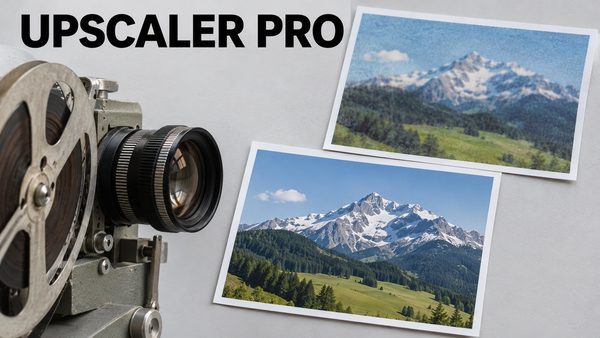
SECourses Upscaler Pro: SeedVR2 & FlashVSR+ Video and Image Upscaler
SECourses Upscaler Pro turns low-resolution videos and images into sharp 1080p, 2K and 4K results with nine AI engines in one standalone app.
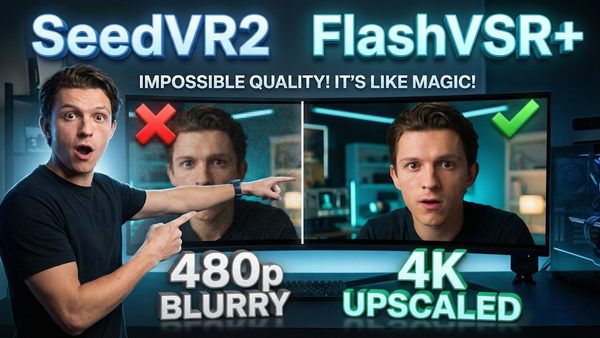
SeedVR2 & FlashVSR+ Image and Video Upscaler Pro V1 Released
SECourses Ultimate Video and Image Upscaler Pro 1.0 release video: SeedVR2, FlashVSR+, GAN upscalers and RIFE frame interpolation with a full queue system.
Chapters
- 0:00 Announcing SECourses Ultimate Video & Image Upscaler Pro V1
- 0:22 Ultra-Fast High-Quality Image Upscaling Demo (1024 to 4096px)
- 0:40 Low GPU Usage & Prompt-Free Workflow Explained
- 1:00 Single Step Upscaling & Advanced Optimization (Torch Compile)
- 1:20 Introduction to Video Upscaling & Custom Live Comparison Tool
- 1:45 Video Quality Comparison vs Topaz Labs & Open Source Models
- 2:08 Cloud GPU Support (RunPod, Massed Compute) & Local Execution
- 2:20 Dynamic UI Features: Real-Time Input Analysis & Settings
- 2:59 Scene-Based Upscaling Workflow with PySceneDetect Integration
- 3:18 Advantages of Scene-Based Processing & Resume Functionality
- 3:48 Visualizing Processed Scene Chunks & Adjusting Split Settings
- 4:09 Automating Full-Length Movie Upscaling (120+ Minutes)
- 4:26 Analyzing Scene Detection Statistics & Frame Count Distribution
- 4:51 RIFE FPS Interpolation Support & Run Logs Interface
- 5:10 Visual Demonstration of Upscaled Video Details & Future Models
- 5:30 Extensive GPU Compatibility (RTX 2000-5000, H200, B200, CUDA 13)
- 5:52 VRAM Error Handling, Health Check & Recovery Tools
- 6:19 Comprehensive Queue System & Changing Parameters Live
- 6:48 Canceling Processes & Error Recovery Without App Restart
- 7:11 Output Folder Structure, Subfolders & Saving Processed Data
- 7:56 Debugging with Executed Command Logs & Run Summaries
- 8:18 One-Click Windows Installation, Auto-Updates & Model Hash Check
- 8:38 Critical Windows Requirements for Torch Compile & Python 3.10
- 8:57 Installation Instructions for RunPod & Massed Compute Cloud
- 9:21 Detailed Feature List: Face Restore, GANs, FlashVSR+ & More
- 9:55 System Diagnostics, Reliability, Safety & UX Features
- 10:28 Batch Processing Support for Image & Video Folders
About this video
It has been long waited to have a studio level video and image upscaler app. Today we have publishing the version 1.0 of SECourses Ultimate Video and Image Upscaler Pro. It is supporting SeedVR2, FlashVSR+, Gan based upscalers, RIFE frame interpolation, full queue system, full batch folder processing, scene / chunked based processing and many more. It is fully working on every cloud and consumer GPUs like RTX 2000, 3000, 4000, 5000 series and H100, H200, B200, RTX PRO 6000. We are installing app with latest Torch and CUDA versions atm all fully automatic with pre-compiled libraries. Even Torch compile is fully and automatically working.
📂 Resources & Links:
💻 SECourses Ultimate Video and Image Upscaler Pro Download Link : [ https://www.patreon.com/posts/Upscaler-Studio-Pro-150202809 ]
🚆 Requirements Tutorial : https://youtu.be/DrhUHnYfwC0
🛠️ Requirements Written Post : [ https://www.patreon.com/posts/Windows-AI-Requirements-Setup-Guide-111553210 ]
👋 SECourses Discord Channel for 7/24 Support: [ https://bit.ly/SECoursesDiscord ]
ℹ️ SimplePod Register : https://simplepod.ai/ref?user=secourses
ℹ️ SimplePod Template : https://dash.simplepod.ai/account/explore/100/ref-secourses/
ℹ️ RunPod Register : https://get.runpod.io/955rkuppqv4h
ℹ️ RunPod Template : https://get.runpod.io/SECourses_CU13
ℹ️ Massed Compute Register : https://bit.ly/SECoursesMassedCompute
⏱️ TIMESTAMPS
0:00 Announcing SECourses Ultimate Video & Image Upscaler Pro V1
0:22 Ultra-Fast High-Quality Image Upscaling Demo (1024 to 4096px)
0:40 Low GPU Usage & Prompt-Free Workflow Explained
1:00 Single Step Upscaling & Advanced Optimization (Torch Compile)
1:20 Introduction to Video Upscaling & Custom Live Comparison Tool
1:45 Video Quality Comparison vs Topaz Labs & Open Source Models
2:08 Cloud GPU Support (RunPod, Massed Compute) & Local Execution
2:20 Dynamic UI Features: Real-Time Input Analysis & Settings
2:59 Scene-Based Upscaling Workflow with PySceneDetect Integration
3:18 Advantages of Scene-Based Processing & Resume Functionality
3:48 Visualizing Processed Scene Chunks & Adjusting Split Settings
4:09 Automating Full-Length Movie Upscaling (120+ Minutes)
4:26 Analyzing Scene Detection Statistics & Frame Count Distribution
4:51 RIFE FPS Interpolation Support & Run Logs Interface
5:10 Visual Demonstration of Upscaled Video Details & Future Models
5:30 Extensive GPU Compatibility (RTX 2000-5000, H200, B200, CUDA 13)
5:52 VRAM Error Handling, Health Check & Recovery Tools
6:19 Comprehensive Queue System & Changing Parameters Live
6:48 Canceling Processes & Error Recovery Without App Restart
7:11 Output Folder Structure, Subfolders & Saving Processed Data
7:56 Debugging with Executed Command Logs & Run Summaries
8:18 One-Click Windows Installation, Auto-Updates & Model Hash Check
8:38 Critical Windows Requirements for Torch Compile & Python 3.10
8:57 Installation Instructions for RunPod & Massed Compute Cloud
9:21 Detailed Feature List: Face Restore, GANs, FlashVSR+ & More
9:55 System Diagnostics, Reliability, Safety & UX Features
10:28 Batch Processing Support for Image & Video Folders
Core features: Multi-tab, multi-pipeline app (SeedVR2 / GAN / RIFE / FlashVSR+ / Face Restore) with unified resolution strategy + global face restoration controls.