RTX 3090 Ti vs RTX 3060 Ultimate Showdown for Stable Diffusion, ML, AI & Video Rendering Performance
RTX 3090 vs RTX 3060 summary and conclusions PDF for the Ultimate Showdown video, covering Stable Diffusion, ML, AI and video rendering performance.
Published Apr 11, 2023 · 18,933 views · Watch on YouTube
Get the app and files
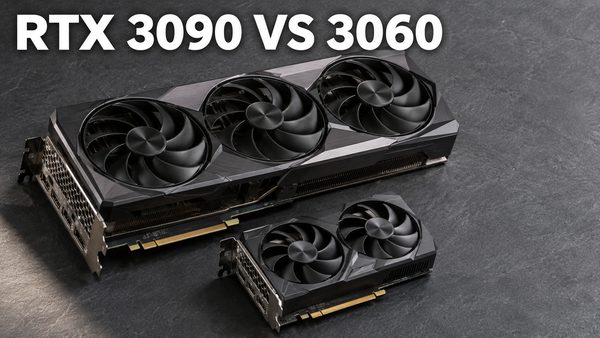
RTX 3090 vs RTX 3060 Showdown: Stable Diffusion, AI & Video Rendering
RTX 3090 vs RTX 3060 summary and conclusions PDF for the Ultimate Showdown video, covering Stable Diffusion, ML, AI and video rendering performance.
Chapters
- 0:00 Box opening of Gainward #RTX3090 Ti and Cougar #GEX1050
- 0:51 Installation of RTX 3090 GPU and Cougar GEX1050 PSU into the computer case
- 5:03 Final view of the installed case
- 5:23 CPU, Ram and other hardware overview of the used PC
- 6:34 Used gist file explanation in this video
- 7:04 How to install latest Nvidia GeForce driver
- 7:32 What is the difference between Nvidia Game Ready drivers and Studio drivers?
- 8:43 OpenAI Whisper speech to text transcription benchmarks
- 9:52 How to verify installed and used PyTorch, CUDA and cuDNN versions via my custom script
- 10:30 How to update Whisper to latest version
- 10:53 Testing command used for Whisper
- 11:20 Demo of Whisper transcription benchmarks
- 12:32 How to install Torch version 2 on main Python installation
- 13:13 How to install cuNDD latest DLL files
- 14:24 Benchmark results of all Whisper tests
- 17:00 When RTX 3090 and #RTX3060 transcribing speech at the same time
- 18:01 4K Video rendering tests in Davinci Resolve
- 19:10 How to change rendering GPU in Davinci Resolve
- 19:35 Rendering results of Davinci Resolve benchmarks
- 20:22 Bug in Davinci Resolve, RTX 3060 is not used
- 23:00 Where to download FFmpeg with hardware acceleration - CUDA and GPU support
- 24:00 How to set default FFmpeg via environment variables path
- 25:27 Testing setup of the FFmpeg 8k video rendering
- 27:19 Demo demonstration of FFmpeg benchmark
- 27:58 Final results of FFmpeg benchmarks on both RTX 3060 and RTX 3090
- 29:45 Starting to benchmark Stable Diffusion via Automatic1111 Web UI
- 30:06 How to see used Torch, CUDA and cuDNN DLL version of your Web UI
- 30:38 How to update Web UI xFormers version
- 31:55 it/s iteration per second testing
- 32:20 Demo of testing methodologies that will be used for Stable Diffusion benchmarks
- 36:57 Starting result analysis of Stable Diffusion benchmarks Torch 1.13
- 42:48 Used DreamBooth training settings for benchmarking
- 44:00 Stable Diffusion benchmarks with Torch 2.0
- 46:48 How to make sure that Web UI uses second device in all cases
- 48:26 opt-sdp-attention benchmark results with Stable Diffusion
- 51:19 The discovery I made about optimizers used in Stable Diffusion Web UI
- 53:32 Solution for Stable Diffusion NansException : A Tensor with all NaNs in Unet
About this video
Discord: https://bit.ly/SECoursesDiscord. RTX 3090 review along with RTX 3060. Stable Diffusion, OpenAI's Whisper, DaVinci Resolve and FFmpeg benchmarked. If I have been of assistance to you and you would like to show your support for my work, please consider becoming a patron on 🥰 https://www.patreon.com/SECourses
Summary And Conclusions PDF ⤵️
https://www.patreon.com/posts/81374648
Playlist of StableDiffusion Tutorials, Automatic1111 and Google Colab Guides, DreamBooth, Textual Inversion / Embedding, LoRA, AI Upscaling, Pix2Pix, Img2Img ⤵️
https://www.youtube.com/playlist?list=PL_pbwdIyffsmclLl0O144nQRnezKlNdx3
Technology & Science: News, Tips, Tutorials, Tricks, Best Applications, Guides, Reviews ⤵️
https://www.youtube.com/playlist?list=PL_pbwdIyffsnkay6X91BWb9rrfLATUMr3
The GitHub gist file shown in the video ⤵️
https://gist.github.com/FurkanGozukara/63e1ef499b5f0c16882a5a202c37f33f
Whisper tutorial ⤵️
How to install Python and Automatic1111 Web UI tutorial ⤵️
Whisper github ⤵️
https://github.com/openai/whisper
Davinci Resolve tutorial ⤵️
Best DreamBooth training settings ⤵️
How to install Torch 2 for Stable Diffusion Automatic 1111 Web UI ⤵️
0:00 Box opening of Gainward #RTX3090 Ti and Cougar #GEX1050
0:51 Installation of RTX 3090 GPU and Cougar GEX1050 PSU into the computer case
5:03 Final view of the installed case
5:23 CPU, Ram and other hardware overview of the used PC
6:34 Used gist file explanation in this video
7:04 How to install latest Nvidia GeForce driver
7:32 What is the difference between Nvidia Game Ready drivers and Studio drivers?
8:43 OpenAI Whisper speech to text transcription benchmarks
9:52 How to verify installed and used PyTorch, CUDA and cuDNN versions via my custom script
10:30 How to update Whisper to latest version
10:53 Testing command used for Whisper
11:20 Demo of Whisper transcription benchmarks
12:32 How to install Torch version 2 on main Python installation
13:13 How to install cuNDD latest DLL files
14:24 Benchmark results of all Whisper tests
17:00 When RTX 3090 and #RTX3060 transcribing speech at the same time
18:01 4K Video rendering tests in Davinci Resolve
19:10 How to change rendering GPU in Davinci Resolve
19:35 Rendering results of Davinci Resolve benchmarks