No Powerful GPU? Train a FLUX LoRA in the Cloud in Under 1 Hour (2024 Kohya Guide)
Kohya SS GUI FLUX LoRA training step by step, with the best optimized configs for 4 GB to 48 GB GPUs and a 68 minute Windows tutorial with 74 chapters.
Published Sep 04, 2024 · 19,983 views · Watch on YouTube
Get the app and files

Kohya FLUX LoRA Training: Full Tutorial & Configs for Windows & Cloud
Kohya SS GUI FLUX LoRA training step by step, with the best optimized configs for 4 GB to 48 GB GPUs and a 68 minute Windows tutorial with 74 chapters.

Kohya FLUX Fine Tuning / DreamBooth Training Tutorial: Windows & Cloud
Kohya FLUX full fine tuning / DreamBooth trains full checkpoints with configs for GPUs with as low as 8 GB VRAM, all using Torch Compile on Windows and Linux.

Decoding the Timestep Shift in Diffusion Training: Qwen Image & FLUX
Timestep sampling shift explained for diffusion models: Qwen Image uses an exponential shift and FLUX a linear one, and 2.205 matches Qwen at 1664x928.

Kohya GUI Kaggle Notebook: Free SD 1.5 & SDXL Training on Dual T4 GPUs
Kohya GUI Kaggle notebook trains Stable Diffusion 1.5 and SDXL LoRA or DreamBooth models for free on a Kaggle account, on a single T4 or dual T4 GPUs.

FLUX LoRA vs Fine Tuning / DreamBooth Comparison: Batch Size 1 vs 7
FLUX LoRA and Fine Tuning / DreamBooth compared with 15 and 256 training images at batch size 1 and 7, for both realism and stylization.
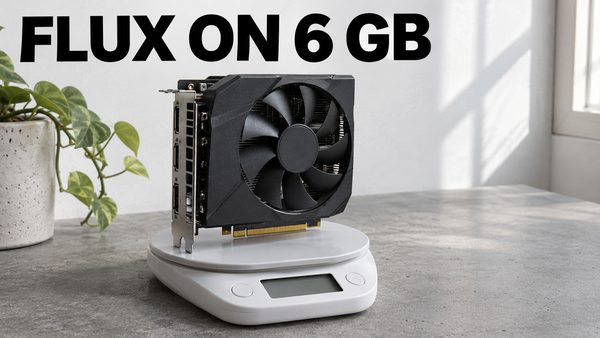
Kohya GUI: Full FLUX Dev DreamBooth on 6 GB GPUs Without Quality Loss
Kohya GUI can now fully fine-tune FLUX Dev on 6 GB GPUs with the same quality as 48 GB GPUs, and fine-tuning gives better results than any LoRA training.
Chapters
- 0:00 Introduction to FLUX Training on Cloud Services (Massed Compute and RunPod)
- 0:45 Overview of Platform Differences and Why Massed Compute is Preferred for FLUX Training
- 2:01 Using FLUX, Kohya GUI, and Using 4x GPUs for Fast Training
- 3:08 Exploring Massed Compute Coupons and Discounts: How to Save on GPU Costs
- 5:35 Detailed Setup for Training FLUX on Massed Compute: Account Creation, Billing, and Deploying Instances
- 6:59 Deploying Multiple GPUs on Massed Compute for Faster Training
- 8:53 Setting Up ThinLinc Client for File Transfers Between Local Machine and Cloud
- 9:04 Troubleshooting ThinLinc File Transfer Issues on Massed Compute
- 9:25 Preparing to Install Kohya GUI and Download Necessary Models on Massed Compute
- 10:02 Upgrading to the Latest Version of Kohya for FLUX Training
- 11:02 Downloading FLUX Training Models and Preparing the Dataset
- 11:53 Checking VRAM Usage with nvitop: Real-Time Monitoring During FLUX Training
- 13:33 Speed Optimization Tips: Disabling T5 Attention Mask for Faster Training
- 17:44 Understanding the Trade-offs: Applying T5 Attention Mask vs. Training Speed
- 18:40 Setting Up Multi-GPU Training for FLUX on Massed Compute
- 18:52 Adjusting Epochs and Learning Rate for Multi-GPU Training
- 22:24 Achieving Near-Linear Speed Gain with 4x GPUs on Massed Compute
- 24:34 Uploading FLUX LoRAs to Hugging Face for Easy Access and Sharing
- 24:56 Using SwarmUI on Your Local Machine via Cloudflare for Image Generation
- 26:04 Moving Models to the Correct Folders in SwarmUI for FLUX Image Generation
- 27:07 Setting Up and Running Grid Generation to Compare Different Checkpoints
- 30:43 Downloading and Managing LoRAs and Models on Hugging Face
- 33:35 Generating Images with FLUX on SwarmUI and Finding the Best Checkpoints
- 38:22 Advanced Configurations in SwarmUI for Optimized Image Generation
- 39:25 How to Use Forge Web UI with FLUX Models on Massed Compute
- 39:33 Setting Up and Configuring Forge Web UI for FLUX on Massed Compute
- 40:03 Moving Models and LoRAs to Forge Web UI for Image Generation
- 41:15 Generating Images with LoRAs on Forge Web UI
- 44:38 Transition to RunPod: Setting Up FLUX Training and Using SwarmUI/Forge Web UI
- 45:13 RunPod Network Volume Storage: Setup and Integration with FLUX Training
- 45:49 Differences Between Massed Compute and RunPod: Speed, Cost, and Hardware
- 47:19 Deploying Instances on RunPod and Setting Up JupyterLab
- 48:05 Installing Kohya GUI and Downloading Models for FLUX Training on RunPod
- 48:48 Preparing Datasets and Starting FLUX Training on RunPod
- 51:55 Monitoring VRAM and Training Speed on RunPod’s A40 GPUs
- 56:42 Optimizing Training Speed by Disabling T5 Attention Mask on RunPod
- 58:20 Comparing GPU Performance Across Platforms: A6000 vs A40 in FLUX Training
- 58:38 Setting Up Multi-GPU Training on RunPod for Faster FLUX Training
- 58:58 Adjusting Learning Rate and Epochs for Multi-GPU Training on RunPod
- 63:41 Achieving Near-Linear Speed Gain with Multi-GPU FLUX Training on RunPod
- 65:46 Completing FLUX Training on RunPod and Preparing Models for Use
- 65:52 Managing Multiple Checkpoints: Best Practices for FLUX Training
- 66:04 Using SwarmUI on RunPod for Image Generation with FLUX LoRAs
- 68:18 Setting Up Multiple Backends on SwarmUI for Multi-GPU Image Generation
- 70:50 Generating Images and Comparing Checkpoints on SwarmUI on RunPod
- 71:55 Uploading FLUX LoRAs to Hugging Face from RunPod for Easy Access
- 72:08 Advanced Download Techniques: Using Hugging Face CLI for Batch Downloads
- 75:16 Fast Download and Upload of Models and LoRAs on Hugging Face
- 77:14 Using Forge Web UI on RunPod for Image Generation with FLUX LoRAs
- 78:01 Troubleshooting Installation Issues with Forge Web UI on RunPod
- 83:25 Generating Images on Forge Web UI with FLUX Models and LoRAs
- 84:20 Conclusion and Upcoming Research on Fine-Tuning FLUX with CLIP Large Models
About this video
Unlock the power of FLUX LoRA training, even if you're short on GPUs or looking to boost speed and scale! This comprehensive guide takes you from novice to expert, showing you how to use Kohya GUI for creating top-notch FLUX LoRAs in the cloud. We'll cover everything: maximizing quality, optimizing speed, and finding the best deals. With our exclusive Massed Compute discount, you can rent 4x RTX A6000 GPUs for just $1.25 per hour, supercharging your training process. Learn how to leverage RunPod for both cost-effective computing and permanent storage. We'll also dive into lightning-fast uploads of your training checkpoints to Hugging Face, seamless downloads, and integrating LoRAs with popular tools like SwarmUI and Forge Web UI. Get ready to master the art of efficient, high-quality AI model training!
🔗 Full Instructions and Links Written Post (the one used in the tutorial) ⤵️
▶️ https://www.patreon.com/posts/click-to-open-post-used-in-tutorial-110879657
0:00 Introduction to FLUX Training on Cloud Services (Massed Compute and RunPod)
0:45 Overview of Platform Differences and Why Massed Compute is Preferred for FLUX Training
2:01 Using FLUX, Kohya GUI, and Using 4x GPUs for Fast Training
3:08 Exploring Massed Compute Coupons and Discounts: How to Save on GPU Costs
5:35 Detailed Setup for Training FLUX on Massed Compute: Account Creation, Billing, and Deploying Instances
6:59 Deploying Multiple GPUs on Massed Compute for Faster Training
8:53 Setting Up ThinLinc Client for File Transfers Between Local Machine and Cloud
9:04 Troubleshooting ThinLinc File Transfer Issues on Massed Compute
9:25 Preparing to Install Kohya GUI and Download Necessary Models on Massed Compute
10:02 Upgrading to the Latest Version of Kohya for FLUX Training
11:02 Downloading FLUX Training Models and Preparing the Dataset
11:53 Checking VRAM Usage with nvitop: Real-Time Monitoring During FLUX Training
13:33 Speed Optimization Tips: Disabling T5 Attention Mask for Faster Training
17:44 Understanding the Trade-offs: Applying T5 Attention Mask vs. Training Speed
18:40 Setting Up Multi-GPU Training for FLUX on Massed Compute
18:52 Adjusting Epochs and Learning Rate for Multi-GPU Training
22:24 Achieving Near-Linear Speed Gain with 4x GPUs on Massed Compute
24:34 Uploading FLUX LoRAs to Hugging Face for Easy Access and Sharing
24:56 Using SwarmUI on Your Local Machine via Cloudflare for Image Generation
26:04 Moving Models to the Correct Folders in SwarmUI for FLUX Image Generation
27:07 Setting Up and Running Grid Generation to Compare Different Checkpoints
30:43 Downloading and Managing LoRAs and Models on Hugging Face
33:35 Generating Images with FLUX on SwarmUI and Finding the Best Checkpoints
38:22 Advanced Configurations in SwarmUI for Optimized Image Generation
39:25 How to Use Forge Web UI with FLUX Models on Massed Compute
39:33 Setting Up and Configuring Forge Web UI for FLUX on Massed Compute
40:03 Moving Models and LoRAs to Forge Web UI for Image Generation
41:15 Generating Images with LoRAs on Forge Web UI
44:38 Transition to RunPod: Setting Up FLUX Training and Using SwarmUI/Forge Web UI
45:13 RunPod Network Volume Storage: Setup and Integration with FLUX Training
45:49 Differences Between Massed Compute and RunPod: Speed, Cost, and Hardware
47:19 Deploying Instances on RunPod and Setting Up JupyterLab
48:05 Installing Kohya GUI and Downloading Models for FLUX Training on RunPod
48:48 Preparing Datasets and Starting FLUX Training on RunPod
51:55 Monitoring VRAM and Training Speed on RunPod’s A40 GPUs
56:42 Optimizing Training Speed by Disabling T5 Attention Mask on RunPod
58:20 Comparing GPU Performance Across Platforms: A6000 vs A40 in FLUX Training