No GPU? Run Stable Diffusion 3 in SwarmUI on a Cloud GPU or a Free Kaggle Account (2024)
Genmo Mochi 1, a 10B parameter open source video model, runs free on your PC with SwarmUI; the full tutorial covers setup, best settings and VAE tiling.
Published Jun 25, 2024 · 7,953 views · Watch on YouTube
Get the app and files

Genmo Mochi 1 Tutorial: Free Local AI Video Generation in SwarmUI
Genmo Mochi 1, a 10B parameter open source video model, runs free on your PC with SwarmUI; the full tutorial covers setup, best settings and VAE tiling.
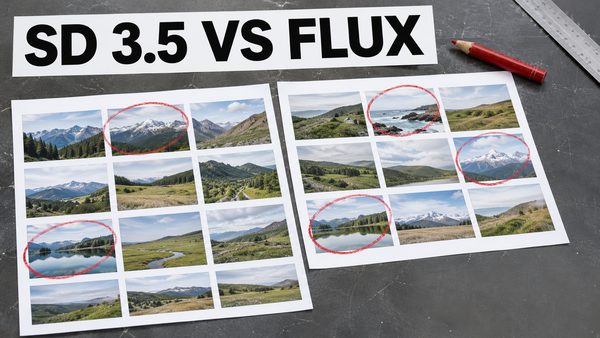
SD 3.5 Large vs FLUX Dev: Best Sampler, Scheduler & FP8 Comparison
Stable Diffusion 3.5 Large tested with 62 prompts to find the best sampler and scheduler, plus an SD 3.5 Large vs FLUX Dev comparison with raw grids shared.

FLUX Local & Cloud Tutorial With SwarmUI: Open Source Text to Image
FLUX, the pioneering open source txt2img model, outperforms Midjourney and others; this tutorial runs it in SwarmUI locally and in the cloud.
Chapters
- 0:00 Introduction to SwarmUI on cloud services tutorial (Massed Compute, RunPod & Kaggle)
- 3:18 How to install (pre-installed we just 1-click update) and use SwarmUI on Massed Compute virtual Ubuntu machines like in your local PC
- 4:52 How to install and setup synchronization folder of ThinLinc client to access and use Massed Compute virtual machine
- 6:34 How to connect and start using Massed Compute virtual machine after it is initialized and status is running
- 7:05 How to 1-click update SwarmUI on Massed Compute before start using it
- 7:46 How to setup multiple GPUs on SwarmUI backend to generate images on each GPU at the same time with amazing queue system
- 7:57 How to see status of all GPUs with nvitop command
- 8:43 Which pre installed Stable Diffusion models we have on Massed Compute
- 9:53 New model downloading speed of Massed Compute
- 10:44 How do I notice GPU backend setup error of 4 GPU setup
- 11:42 How to monitor status of all running 4 GPUs
- 12:22 Image generation speed, step speed on RTX A6000 on Massed Compute for SD3
- 12:50 How to setup and use CivitAI API key to be able to download gated (behind a login) models from CivitAI
- 13:55 How to quickly download all of the generated images from Massed Compute
- 15:22 How to install latest SwarmUI on RunPod with accurate template selection
- 16:50 Port setup to be able to connect SwarmUI after installation
- 17:50 How to download and run installer sh file for RunPod to install SwarmUI
- 19:47 How to restart Pod 1 time to fix backends loading forever error
- 20:22 How to start SwarmUI again on RunPod
- 21:14 How to download and use Stable Diffusion 3 (SD3) on RunPod
- 22:01 How to setup multiple GPU backends system on RunPod
- 23:22 Generation speed on RTX 4090 (step speed for SD3)
- 24:04 How to quickly download all generated images on RunPod to your computer / device
- 24:50 How to install and use SwarmUI and Stable Diffusion 3 on a free Kaggle account
- 28:39 How to change model root folder path on SwarmUI on Kaggle to use temporary disk space
- 29:21 Add another backend to utilize second T4 GPU on Kaggle
- 29:32 How to cancel run and start SwarmUI again (restarting)
- 31:39 How to use Stable Diffusion 3 model on Kaggle and generate images
- 33:06 Why we did get out of RAM error and how we fixed it on Kaggle
- 33:45 How to disable one of the back ends to prevent RAM error when using T5 XXL text encoder twice
- 34:04 Stable Diffusion 3 image generation speed on T4 GPU on Kaggle
- 34:35 How to download all of the generated images on Kaggle at once to your computer / device
About this video
In this video, I demonstrate how to install and use #SwarmUI on cloud services. If you lack a powerful GPU or wish to harness more GPU power, this video is essential. You'll learn how to install and utilize SwarmUI, one of the most powerful Generative AI interfaces, on Massed Compute, RunPod, and Kaggle (which offers free dual T4 GPU access for 30 hours weekly). This tutorial will enable you to use SwarmUI on cloud GPU providers as easily and efficiently as on your local PC. Moreover, I will show how to use Stable Diffusion 3 (#SD3) on cloud. SwarmUI uses #ComfyUI backend.
🔗 The Public Post (no login or account required) Shown In The Video With The Links ➡️ https://www.patreon.com/posts/stableswarmui-3-106135985
🔗 Windows Tutorial for Learn How to Use SwarmUI ➡️ https://youtu.be/HKX8_F1Er_w
🔗 How to download models very fast to Massed Compute, RunPod and Kaggle and how to upload models or files to Hugging Face very fast tutorial ➡️ https://youtu.be/X5WVZ0NMaTg
🔗 SECourses Discord ➡️ https://discord.com/servers/software-engineering-courses-secourses-772774097734074388
🔗 Stable Diffusion GitHub Repo (Please Star, Fork and Watch) ➡️ https://github.com/FurkanGozukara/Stable-Diffusion
Coupon Code for Massed Compute : SECourses
Coupon works on Alt Config RTX A6000 and also RTX A6000 GPUs
0:00 Introduction to SwarmUI on cloud services tutorial (Massed Compute, RunPod & Kaggle)
3:18 How to install (pre-installed we just 1-click update) and use SwarmUI on Massed Compute virtual Ubuntu machines like in your local PC
4:52 How to install and setup synchronization folder of ThinLinc client to access and use Massed Compute virtual machine
6:34 How to connect and start using Massed Compute virtual machine after it is initialized and status is running
7:05 How to 1-click update SwarmUI on Massed Compute before start using it
7:46 How to setup multiple GPUs on SwarmUI backend to generate images on each GPU at the same time with amazing queue system
7:57 How to see status of all GPUs with nvitop command
8:43 Which pre installed Stable Diffusion models we have on Massed Compute
9:53 New model downloading speed of Massed Compute
10:44 How do I notice GPU backend setup error of 4 GPU setup
11:42 How to monitor status of all running 4 GPUs
12:22 Image generation speed, step speed on RTX A6000 on Massed Compute for SD3
12:50 How to setup and use CivitAI API key to be able to download gated (behind a login) models from CivitAI
13:55 How to quickly download all of the generated images from Massed Compute
15:22 How to install latest SwarmUI on RunPod with accurate template selection
16:50 Port setup to be able to connect SwarmUI after installation
17:50 How to download and run installer sh file for RunPod to install SwarmUI
19:47 How to restart Pod 1 time to fix backends loading forever error
20:22 How to start SwarmUI again on RunPod
21:14 How to download and use Stable Diffusion 3 (SD3) on RunPod
22:01 How to setup multiple GPU backends system on RunPod
23:22 Generation speed on RTX 4090 (step speed for SD3)
24:04 How to quickly download all generated images on RunPod to your computer / device
24:50 How to install and use SwarmUI and Stable Diffusion 3 on a free Kaggle account
28:39 How to change model root folder path on SwarmUI on Kaggle to use temporary disk space
29:21 Add another backend to utilize second T4 GPU on Kaggle
29:32 How to cancel run and start SwarmUI again (restarting)
31:39 How to use Stable Diffusion 3 model on Kaggle and generate images
33:06 Why we did get out of RAM error and how we fixed it on Kaggle
33:45 How to disable one of the back ends to prevent RAM error when using T5 XXL text encoder twice
34:04 Stable Diffusion 3 image generation speed on T4 GPU on Kaggle
34:35 How to download all of the generated images on Kaggle at once to your computer / device