Night Race to 4K: RelayVSR Beats FlashVSR+ and SeedVR2 on the Same Video Clip
SECourses Upscaler Pro turns low-resolution videos and images into sharp 1080p, 2K and 4K results with nine AI engines in one standalone app.
Published Nov 06, 2026 · 1,182 views · Watch on YouTube
Get the app and files
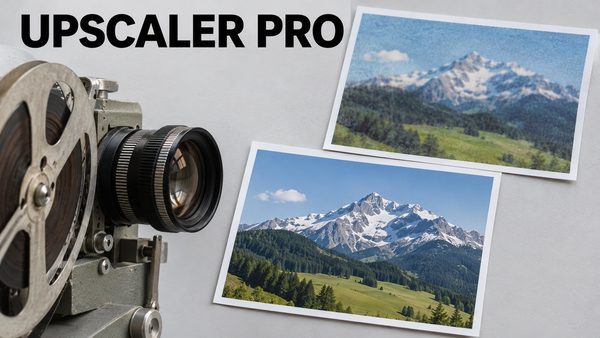
SECourses Upscaler Pro: SeedVR2 & FlashVSR+ Video and Image Upscaler
SECourses Upscaler Pro turns low-resolution videos and images into sharp 1080p, 2K and 4K results with nine AI engines in one standalone app.
Chapters
- 0:00 Multi-pass DLSS 5 on AI videos
- 0:22 1 pass, 2 passes, 3 passes compared
- 0:42 DLSS 5 on game screenshots and AI images
- 1:29 How it was made: the DLSS 5 tab, Passes and profiles
- 1:56 Every upscaler on images, with the time each took
- 2:14 New: JonXL H3 Upscale for images
- 2:33 Every upscaler on video: RelayVSR 20x faster
- 2:55 How it was made: Chains with a batch folder
- 3:29 New in V10.0 and how to get it
About this video
SECourses Ultimate Video & Image Upscaler Pro V10.0 brings multi-pass NVIDIA DLSS 5 neural rendering to your own videos and images, on every RTX 30, 40 and 50 series GPU: run DLSS 5 two or three times in a row and every pass adds more real skin, light and material detail to game-look AI footage, CGI and game screenshots. In this 4K showcase every result is a real run of the app, and every example shows one pass, then two, then three, so you see exactly what each pass adds: two AI videos, game screenshots taken straight to DLSS 5, and AI warrior and dragon images upscaled to 4K with SeedVR2 first. New in this update: RelayVSR, a very fast 4x video upscaler (about 5x faster than FlashVSR+ Turbo and 20x faster than SeedVR2) with our own Wan INT8 ConvRot model, only in this app, and JonXL H3 Upscale, JonXL's MiniMax H3 image upscaler built into the Open-H3 tab, which pulls real detail out of small, blurry photos.
Links:
Get SECourses Ultimate Video & Image Upscaler Pro (Patreon post with the installers and every update): [ https://www.patreon.com/posts/150202809 ]
All Upscaler Pro videos in one playlist (tutorials, updates, comparisons): [ https://www.youtube.com/playlist?list=PLLBsXyCOXINM ]
Full 4K tutorial of the app: [ https://youtu.be/_WT4C78j5-c ]
Quick 4K demo: [ https://youtu.be/bPWsg8DREiM ]
SECourses Discord: [ https://discord.com/invite/software-engineering-courses-secourses-772774097734074388 ]
The video shows how each result was made, as real screen recordings of the app at 4K: the DLSS 5 tab (drop an image, set the new Passes setting to 3, Render DLSS 5), the Open-H3 tab switched to the new JonXL H3 Upscale workflow (MiniMax H3 Workflow, then Regenerate / Upscale: a 640 x 425 photo to 1920 x 1276), and the Chains tab (SeedVR2, then DLSS 5 three times, batch input and output folders, Run Chain). It compares every image upscaler of the app on the same AI image, 960 x 540 upscaled 4x to 3840 x 2160, the original next to every result (seven engines, each timed), and every video upscaler on a real 960 x 540 clip, then the input, RelayVSR and SeedVR2 or FlashVSR+ side by side, each timed (RelayVSR: 60 seconds for the 306-frame clip to 4K) and a speed chart. New in V10.0: the RelayVSR tab (our own Wan INT8 ConvRot model, only in this app, or BF16; downloads on first use), multi-pass DLSS 5 (Passes 1 to 4, or DLSS 5 several times in a chain), the DLSS 5 style profiles (Neutral keeps the original look), JonXL H3 Upscale for images in Open-H3 (its LoRA downloads on first use), batch folders in Chains, and folder and file picker buttons on every path field of the app.
Main topics include multi-pass NVIDIA DLSS 5 neural rendering for videos and images (the new Passes setting, DLSS 5 several times in a chain and the style profiles), turning plastic AI images, game screenshots and game-look AI video photoreal, AI image upscaling and AI video upscaling to 4K, RelayVSR (fast 4x video upscaling with our own INT8 ConvRot model), SeedVR2, FlashVSR+, SparkVSR, Open-H3 Regenerate, JonXL H3 Upscale (MiniMax H3 image upscale LoRA), LTX 2.5, NVIDIA RTX Super Resolution, GAN image upscalers such as 4x-UltraSharpV2, the Chains tab with batch folder processing, and local AI video tools with 1-click installers for Windows, RunPod and Massed Compute.
Use the chapters to jump to any comparison or screen recording.
Chapters:
0:00 Multi-pass DLSS 5 on AI videos
0:22 1 pass, 2 passes, 3 passes compared
0:42 DLSS 5 on game screenshots and AI images
1:29 How it was made: the DLSS 5 tab, Passes and profiles
1:56 Every upscaler on images, with the time each took
2:14 New: JonXL H3 Upscale for images
2:33 Every upscaler on video: RelayVSR 20x faster
2:55 How it was made: Chains with a batch folder
3:29 New in V10.0 and how to get it
Music: "Trouble" by Topher Mohr and Alex Elena (YouTube Audio Library).
DLSS 5 demo videos and images from the creator's own test set; the upscaler demo clip and the JonXL demo photo from Pexels.
This showcase is for anyone who wants photoreal skin, light and detail on game-look AI videos, CGI renders, game screenshots and AI images, and for anyone comparing AI upscalers on images and video. Every result here is a real run of the app, DLSS 5 with default settings (the Standard profile, plus one Neutral vs Standard comparison). Tip from the comparisons (each example shows one, two and three passes): two or three passes give the strongest look on game graphics and plastic AI faces, while faces that already look real can turn too red after three passes, so start with one or two passes there and pick what looks best.
How to get it: join on Patreon from the link above, download the latest Upscaler Pro zip and run the Windows installer; the DLSS 5 model and the upscaler models download by themselves on the first run. RunPod and Massed Compute installers are included for cloud GPUs.
For support, questions or feature requests, use Patreon, Discord or the comments. Thank you for watching.