Image to Video in Under a Minute on an RTX 5090: Wan 2.1 + CausVid LoRA in SwarmUI (2025)
SwarmUI Teacache full tutorial: speed up Wan 2.1 image-to-video and text-to-video 2x and more with ready presets, using ComfyUI as the backend.
Published May 18, 2025 · 12,500 views · Watch on YouTube
Get the app and files
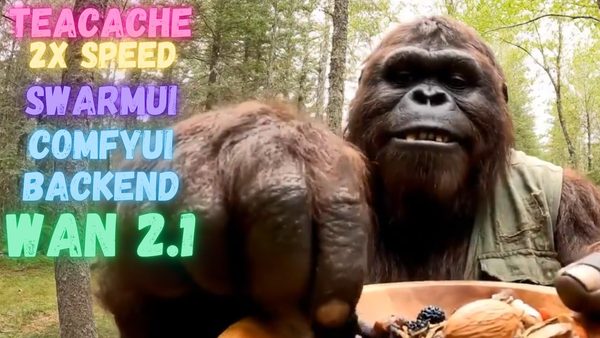
SwarmUI Teacache Tutorial: Wan 2.1 I2V & T2V Presets, 2x Faster
SwarmUI Teacache full tutorial: speed up Wan 2.1 image-to-video and text-to-video 2x and more with ready presets, using ComfyUI as the backend.
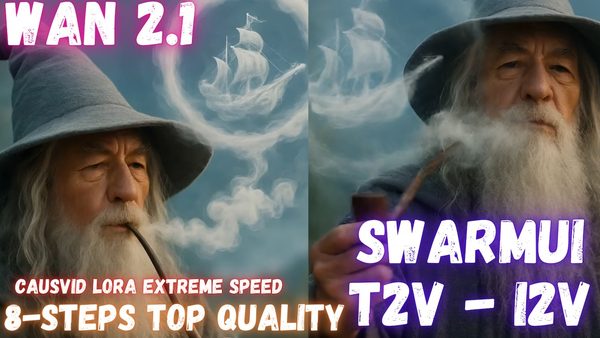
Wan 2.1 T2V & I2V in SwarmUI Tutorial: CausVid LoRA for Extreme Speed
Wan 2.1 text-to-video and image-to-video in SwarmUI with the CausVid LoRA at just 8 steps; on an RTX 5090 a clip took 90 seconds versus 170 on an RTX 3090 Ti.
Chapters
- 0:00 Introduction & Amazing Demo
- 0:23 Tutorial Goals: Video Gen (1.2.1), Speedups (CowsWith, Rife)
- 0:35 SwarmUI: Installation & Update Process
- 0:57 SwarmUI Downloader: 1.2.1 Model & CowsWith Lora
- 1:48 Optional: Integrating Models with ComfyUI
- 2:12 SwarmUI Start, Config & Rife Interpolation
- 2:38 Image-to-Video: Importing Presets
- 2:51 Image-to-Video: GGUF Model Selection & VRAM
- 3:09 Image-to-Video: Optimal Resolution & Aspect Ratio
- 3:21 Image-to-Video: CowsWith Lora & "Fast CowsWith" Preset
- 3:44 Image-to-Video: Key Parameters (Steps, CFG, Init Image)
- 4:04 Image-to-Video: Creativity (0) & Frame Count
- 4:26 VRAM Management: Avoiding Shared VRAM Slowdowns
- 4:40 Image-to-Video: Rife x2 (Double FPS) & Advanced Settings
- 4:56 Image-to-Video: Trimming Frames & Crafting Prompt
- 5:24 Dual GPU I2V Gen: RTX 5090 vs 3090Ti
- 5:55 I2V Speed, VRAM & First Result Analysis (RTX 5090: 5.7s/it)
- 6:35 First I2V Result Review & Iteration Needs
- 6:52 Second I2V Result: AI Fixes Missing Parts!
- 7:20 Recap: Power of Optimized SwarmUI
- 7:33 Text-to-Video: Switching & Model Setup
- 8:04 Text-to-Video: Applying T2V Presets
- 8:19 Text-to-Video: Key Parameter Differences
- 8:34 Text-to-Video: Setting Resolution & Rife
- 9:02 Text-to-Video: Prompting & Ensuring Lora
- 9:17 Speed vs Quality: T-Cash & Sage Attention
- 9:30 Text-to-Video: Dual GPU Generation Start & Setup
- 10:03 Text-to-Video: VRAM Check & Speed Expectations
- 11:51 Text-to-Video Speed Analysis: 5090 (8.4s/it) vs 3090Ti (18.2s/it)
- 12:01 Text-to-Video Result (576x1008) Review: "Really Great!"
- 12:55 Teaser: "My Diffusion Based Upscaler" & Quick Peek
- 13:10 Upscaler Features: Splitting, Per-Clip Prompting/Upscaling
- 13:35 Upscaler Features: Auto-Caption (CogVLM2), Ratio Control
- 13:45 Upscaler Features: Batch Processing & Max Frame Control
- 13:51 Upscaler: Quality Goal (10x+), Optimizations & Ideas
- 18:01 Upscaler: FFmpeg Presets, Dev Status & Vision
- 18:13 Final Recap: Hope You Enjoyed & Generated Videos Review
- 18:20 Generated Video Quality & Time Assessment: "Magnificent!"
- 18:24 Final Timings: RTX 3090Ti (170s) vs RTX 5090 (90s)
- 18:32 Your Choice: Resolution, Frames, Speed & VRAM Balance
About this video
Wan 2.1 is still the very best local AI video generation model and it just became even more amazing and faster with CausVid LoRA. Now with utilizing ComfyUI backend power inside SwarmUI and my automatic installers to utilize Sage Attention, you can very fast generate very high quality AI videos with Wan 2.1 and CausVid LoRA at just 8 steps.
🔗Follow below link to download the zip file that contains SwarmUI installer and AI models downloader Gradio App - the one used in the tutorial ⤵️
▶️ https://www.patreon.com/posts/SwarmUI-Installer-AI-Videos-Downloader-114517862
▶️ How to install SwarmUI main tutorial : https://youtu.be/fTzlQ0tjxj0
🔗Follow below link to download the zip file that contains ComfyUI 1-click installer that has all the Flash Attention, Sage Attention, xFormers, Triton, DeepSpeed, RTX 5000 series support ⤵️
▶️ https://www.patreon.com/posts/Advanced-ComfyUI-1-Click-Installer-105023709
🔗 Python, Git, CUDA, C++, FFMPEG, MSVC installation tutorial - needed for ComfyUI ⤵️
▶️ https://youtu.be/DrhUHnYfwC0
🔗 SECourses Official Discord 10500+ Members ⤵️
▶️ https://discord.com/servers/software-engineering-courses-secourses-772774097734074388
🔗 Stable Diffusion, FLUX, Generative AI Tutorials and Resources GitHub ⤵️
▶️ https://github.com/FurkanGozukara/Stable-Diffusion
🔗 SECourses Official Reddit - Stay Subscribed To Learn All The News and More ⤵️
▶️ https://www.reddit.com/r/SECourses/
▶️ CausVid LoRA Official repo : https://github.com/tianweiy/CausVid
VIDEO CHAPTERS
0:00 Introduction & Amazing Demo
0:23 Tutorial Goals: Video Gen (1.2.1), Speedups (CowsWith, Rife)
0:35 SwarmUI: Installation & Update Process
0:57 SwarmUI Downloader: 1.2.1 Model & CowsWith Lora
1:48 Optional: Integrating Models with ComfyUI
2:12 SwarmUI Start, Config & Rife Interpolation
2:38 Image-to-Video: Importing Presets
2:51 Image-to-Video: GGUF Model Selection & VRAM
3:09 Image-to-Video: Optimal Resolution & Aspect Ratio
3:21 Image-to-Video: CowsWith Lora & "Fast CowsWith" Preset
3:44 Image-to-Video: Key Parameters (Steps, CFG, Init Image)
4:04 Image-to-Video: Creativity (0) & Frame Count
4:26 VRAM Management: Avoiding Shared VRAM Slowdowns
4:40 Image-to-Video: Rife x2 (Double FPS) & Advanced Settings
4:56 Image-to-Video: Trimming Frames & Crafting Prompt
5:24 Dual GPU I2V Gen: RTX 5090 vs 3090Ti
5:55 I2V Speed, VRAM & First Result Analysis (RTX 5090: 5.7s/it)
6:35 First I2V Result Review & Iteration Needs
6:52 Second I2V Result: AI Fixes Missing Parts!
7:20 Recap: Power of Optimized SwarmUI
7:33 Text-to-Video: Switching & Model Setup
8:04 Text-to-Video: Applying T2V Presets
8:19 Text-to-Video: Key Parameter Differences
8:34 Text-to-Video: Setting Resolution & Rife