How Much Faster Is the RTX 5090 for AI Images? FLUX, SDXL and SD 3.5 Tested vs RTX 3090 Ti
FramePack by lllyasviel turns images into consistent videos up to 120 seconds on GPUs with as little as 6GB; the tutorial shows 1-click install on Windows.
Published Feb 13, 2025 · 13,984 views · Watch on YouTube
Get the app and files
FramePack Full Tutorial: 120 Second Image-to-Video With 6 GB VRAM
FramePack by lllyasviel turns images into consistent videos up to 120 seconds on GPUs with as little as 6GB; the tutorial shows 1-click install on Windows.

Wan 2.1 Gradio App Updates Tutorial: Squish Effect LoRA Videos Locally
Wan 2.1 Gradio app now supports LoRAs; this tutorial makes squishing videos with the Squish Effect LoRA and shows RIFE FPS boost, FP8/BF16 and config saving.
RTX 5090 vs RTX 3090 Ti Speed Test: FLUX Dev, SD 3.5, SDXL & SD 1.5
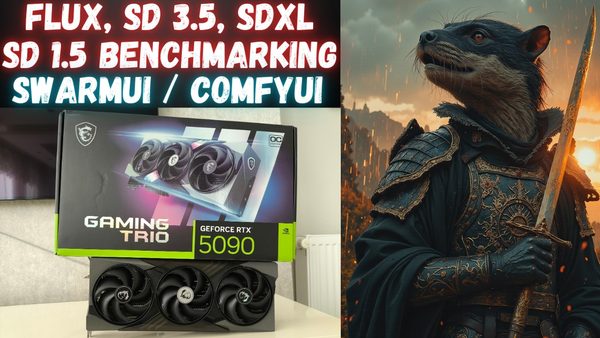
RTX 5090 benchmarked against RTX 3090 Ti on FLUX Dev, FLUX Fill, SD 3.5 Large and Medium, SDXL and SD 1.5 in SwarmUI with ComfyUI, on an AMD 9950X CPU.
Chapters
- 0:00 Introduction to the video and PC configuration and specs
- 0:30 Backends of ComfyUI and the GPUs and machine config
- 0:40 Testing FLUX DEV model performance on RTX 5090 and RTX 3090 Ti
- 0:53 RTX 5090 and RTX 3090 Ti GPU sensor values while generating images on FLUX Dev
- 2:10 How to change precision to 8-bit (FP8) vs 16-bit on SwarmUI including FP16 T5 XXL
- 3:34 Testing FLUX Fill (inpainting and outpainting) model performance on RTX 5090 and RTX 3090 Ti
- 4:56 Testing speed impact of changing prompt when generating new images
- 6:23 Testing Stable Diffusion 3.5 Medium (SD 3.5 Medium) model performance on RTX 5090 and RTX 3090 Ti
- 8:27 Testing Stable Diffusion 3.5 Large (SD 3.5 Large) model performance on RTX 5090 and RTX 3090 Ti
- 9:02 Where you can learn more about the GPU and the machine that is being used for benchmarking
- 9:42 What kind of Overclocking I am doing on RTX 5090, overlocking levels
- 10:12 Testing Stable Diffusion XL (SDXL) model performance on RTX 5090 and RTX 3090 Ti
- 11:41 Testing Stable Diffusion 1.5 (SD 1.5) model performance on RTX 5090 and RTX 3090 Ti
- 12:54 Comparison table and evaluation of the models and the speeds of RTX 5090 and RTX 3090 Ti
- 15:30 How to install SwarmUI and make it working with RTX 5000 series GPUs and how to download AI models ultra fast
- 17:01 How to use our unified SwarmUI model downloader to download FLUX, SD 1.5, SDXL, SD 3.5 models and more models
- 19:00 How to upgrade Torch / ComfyUI backend to make it work on RTX 5000 series GPUs
- 19:58 Which folder will be deleted and replaced with pre-made backend
About this video
In this video I have intensively compared RTX 5090 speed on FLUX DEV, FLUX Fill, SD 3.5 Large, SD 3.5 Medium, Stable Diffusion XL (SDXL) and Stable Diffusion 1.5 (SD 1.5) models. For each benchmark, I have compared RTX 5090 against RTX 3090 TI so we see the speed improvement. Moreover, I have tested FP8 vs 16-bit precision for FLUX and SD 3.5 Large and SD 3.5 Medium models. Furthermore, I have tested the speed impact of changing prompt on FLUX DEV model since one of the follower had requested. Full specs of the system provided below.
I have used SwarmUI with ComfyUI backend so these benchmarks are literally done on ComfyUI you can think as. Currently no other interface / UI supporting RTX 5000 series as far as i know.
🔗Automatic Installer and Model Downloader RTX 5000 Series Support ⤵️
▶️ https://www.patreon.com/posts/installer-and-downloader-rtx5000-series-support-114517862
🔗Manually Install RTX 5000 Series Support ⤵️
▶️ https://github.com/comfyanonymous/ComfyUI/discussions/6643
🔗SECourses 10000+ Members Discord ⤵️
▶️ https://discord.com/servers/software-engineering-courses-secourses-772774097734074388
🔗SECourses Amazing Generative AI GitHub ⤵️
▶️ https://github.com/FurkanGozukara/Stable-Diffusion
🔗SECourses AI APPs Index ⤵️
▶️ https://github.com/FurkanGozukara/Stable-Diffusion/blob/main/Patreon-Posts-Index.md
🔗GPU Specs and the used Machine Tutorial ⤵️
▶️ https://youtu.be/uV3oqdILOmA
🔗RTX 5090 Benchmarking Video Series Playlist ⤵️
▶️ https://www.youtube.com/playlist?list=PL_pbwdIyffslNd9aLizjQtHVHAMA6tpfT
0:00 Introduction to the video and PC configuration and specs
0:30 Backends of ComfyUI and the GPUs and machine config
0:40 Testing FLUX DEV model performance on RTX 5090 and RTX 3090 Ti
0:53 RTX 5090 and RTX 3090 Ti GPU sensor values while generating images on FLUX Dev
2:10 How to change precision to 8-bit (FP8) vs 16-bit on SwarmUI including FP16 T5 XXL
3:34 Testing FLUX Fill (inpainting and outpainting) model performance on RTX 5090 and RTX 3090 Ti
4:56 Testing speed impact of changing prompt when generating new images
6:23 Testing Stable Diffusion 3.5 Medium (SD 3.5 Medium) model performance on RTX 5090 and RTX 3090 Ti
8:27 Testing Stable Diffusion 3.5 Large (SD 3.5 Large) model performance on RTX 5090 and RTX 3090 Ti
9:02 Where you can learn more about the GPU and the machine that is being used for benchmarking
9:42 What kind of Overclocking I am doing on RTX 5090, overlocking levels
10:12 Testing Stable Diffusion XL (SDXL) model performance on RTX 5090 and RTX 3090 Ti
11:41 Testing Stable Diffusion 1.5 (SD 1.5) model performance on RTX 5090 and RTX 3090 Ti
12:54 Comparison table and evaluation of the models and the speeds of RTX 5090 and RTX 3090 Ti
15:30 How to install SwarmUI and make it working with RTX 5000 series GPUs and how to download AI models ultra fast
17:01 How to use our unified SwarmUI model downloader to download FLUX, SD 1.5, SDXL, SD 3.5 models and more models
19:00 How to upgrade Torch / ComfyUI backend to make it work on RTX 5000 series GPUs
19:58 Which folder will be deleted and replaced with pre-made backend
Full PC Specs as Below
CPU : AMD Ryzen 9 9950X 4.3 GHz AM5
Motherboard : ASUS ROG STRIX X870E-E GAMING WIFI
GPU 1 - MSI RTX 5090 GAMING TRIO OC
GPU 2 - Gainward RTX 3090 Ti Phantom
CASE : Cooler Master Coolermaster HAF700 Evo H700E-WGNN-S00 Gaming Full Tower Pc Case White