Best Open Source Image to Video Generator CogVideoX1.5-5B-I2V Step by Step Windows & Cloud Tutorial
CogVideoX1.5-5B-I2V app turns an image into 5 or 10 second videos at 16 FPS; 1280x720 with 81 frames needs about 18 GB VRAM.
Published Dec 20, 2024 · 9,539 views · Watch on YouTube
Get the app and files
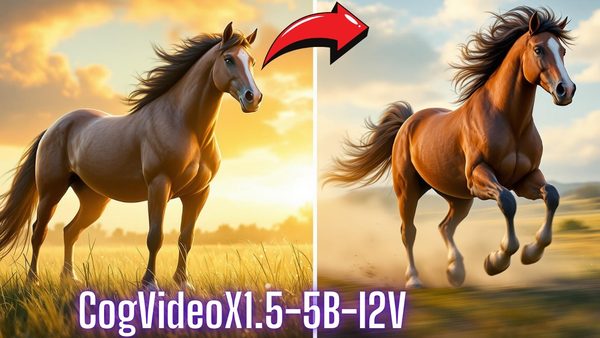
CogVideoX1.5-5B-I2V Image to Video: 1-Click Windows & Cloud Installers
CogVideoX1.5-5B-I2V app turns an image into 5 or 10 second videos at 16 FPS; 1280x720 with 81 frames needs about 18 GB VRAM.

CogVideoX1.5-5B-I2V Image to Video: Low VRAM Test With MMAudio Sound
CogVideoX1.5-5B-I2V is a decent open source image-to-video model optimized for low VRAM; native resolution is 1360px with up to 10 seconds and 161 frames.
Chapters
- 0:00 Introduction to the CogVideoX1.5-5B-I2V step by step tutorial
- 1:27 How to download installers and start installing on Windows automatically locally
- 2:11 What are the advantageous of my installers
- 3:29 How to install CogVideoX1.5-5B-I2V on Windows
- 4:19 How to verify installation and save logs in case of any error to report me
- 4:40 How to start the application after installation has been completed
- 5:35 How to use CogVideoX to generate videos from images
- 6:12 How to prompt CogVideoX and example prompts
- 6:26 How to set parameters accurately to generate the best videos
- 6:55 Which resolutions and durations are supported by CogVideoX1.5-5B-I2V
- 7:08 How much VRAM the model requires at which resolution and duration
- 7:36 Why 81 frames not 80 for 5 second video at 16 FPS
- 10:19 How to make video generation speed faster and use lesser VRAM
- 11:37 Where the generated videos are saved
- 12:14 How to install CogVideoX1.5-5B-I2V on Massed Compute and use
- 14:01 How to setup ThinLinc client to access the Massed Compute instance and transfer files between your Computer and Cloud Machine
- 15:03 How to connect initialized machine and start installing CogVideoX1.5-5B-I2V app
- 17:51 How to start multiple application on each GPU to scale your generation speed
- 18:43 How to use application in your computer that is running on Massed Compute
- 19:25 Model download speed on Massed Compute with our installers and app
- 20:35 How to install CogVideoX1.5-5B-I2V on RunPod and use
- 24:19 How to start the app on RunPod and how to utilize multiple GPUs if you want to scale the generation speed
- 26:49 How to download generated videos
About this video
CogVideoX1.5-5B-I2V is the newest open source state of the art image-to-video generation model and it is just working amazing on consumer GPUs. In this tutorial, I will show you step by step with automatic installers, how to install and use this mind blowing model on your Windows computer. Moreover, I will show how to install and use it locally on cloud machines as easy as on your computer. Cloud machines are useful if you are GPU poor or want to scale and speed up your generations. I will cover Machine Learning, the very best and cheapest cloud GPU provider and also RunPod.
🔗 Full Instructions, Configs, Installers, Information and Links Shared Post (the one used in the tutorial) ⤵️
▶️ https://www.patreon.com/posts/click-to-open-post-used-in-tutorial-112848192
🔗 MMAudio Installers Used To Generate Sound Effects ⤵️
▶️ https://www.patreon.com/posts/click-to-open-mmaudio-installers-post-117990364
🔗 Official Repo ⤵️
▶️ https://huggingface.co/THUDM/CogVideoX1.5-5B-I2V
0:00 Introduction to the CogVideoX1.5-5B-I2V step by step tutorial
1:27 How to download installers and start installing on Windows automatically locally
2:11 What are the advantageous of my installers
3:29 How to install CogVideoX1.5-5B-I2V on Windows
4:19 How to verify installation and save logs in case of any error to report me
4:40 How to start the application after installation has been completed
5:35 How to use CogVideoX to generate videos from images
6:12 How to prompt CogVideoX and example prompts
6:26 How to set parameters accurately to generate the best videos
6:55 Which resolutions and durations are supported by CogVideoX1.5-5B-I2V
7:08 How much VRAM the model requires at which resolution and duration
7:36 Why 81 frames not 80 for 5 second video at 16 FPS
10:19 How to make video generation speed faster and use lesser VRAM
11:37 Where the generated videos are saved
12:14 How to install CogVideoX1.5-5B-I2V on Massed Compute and use
14:01 How to setup ThinLinc client to access the Massed Compute instance and transfer files between your Computer and Cloud Machine
15:03 How to connect initialized machine and start installing CogVideoX1.5-5B-I2V app
17:51 How to start multiple application on each GPU to scale your generation speed
18:43 How to use application in your computer that is running on Massed Compute
19:25 Model download speed on Massed Compute with our installers and app
20:35 How to install CogVideoX1.5-5B-I2V on RunPod and use
24:19 How to start the app on RunPod and how to utilize multiple GPUs if you want to scale the generation speed
26:49 How to download generated videos
Model Introduction
CogVideoX is an open-source video generation model similar to QingYing. Below is a table listing information on the video generation models available in this generation:
Model Name CogVideoX1.5-5B CogVideoX1.5-5B-I2V (Current Repository)
Video Resolution 1360 * 768 Min(W, H) = 768
768 ≤ Max(W, H) ≤ 1360
Max(W, H) % 16 = 0
Inference Precision BF16 (recommended), FP16, FP32, FP8*, INT8, not supported INT4
Single GPU Inference Memory Consumption BF16: 9GB minimum*
Multi-GPU Inference Memory Consumption BF16: 24GB* using diffusers
Inference Speed