AI Videos That Speak, With Sound, on Your Own PC: Ovi Open-Source Video + Audio (6GB GPU)
Ovi, the first-ever public open-source model to generate video and synchronized audio, is a local version of VEO 3 and SORA 2 that runs on 6 GB GPUs.
Published Oct 10, 2025 · 8,274 views · Watch on YouTube
Get the app and files
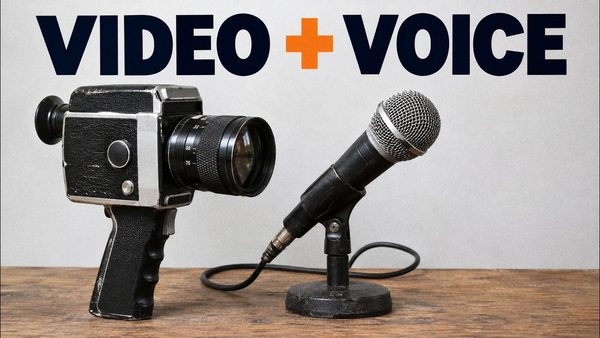
Ovi Tutorial: Open-Source Video With Synced Audio on 6 GB GPUs
Ovi, the first-ever public open-source model to generate video and synchronized audio, is a local version of VEO 3 and SORA 2 that runs on 6 GB GPUs.
Chapters
- 0:00 Introduction to OVI: The First Open-Source Audio+Video AI
- 0:37 Impressive AI Video Generation Demos
- 1:00 Core Capabilities: Text-to-Video & Image-to-Video Animation
- 1:26 UI Walkthrough: Uploading Images & Videos
- 1:39 Auto Cropping, Padding & Aspect Ratio Control
- 1:53 Adjusting Base & Output Video Resolution
- 2:23 Using Built-in Examples & Understanding Prompt Structure
- 2:36 Essential Prompting Syntax: Speaking & Audio Tags
- 2:49 Built-in Prompt Validation & Syntax Error Checker
- 3:05 Advanced Feature: Seamless Video Extension & Storytelling
- 3:52 How Video Extension Uses the Last Frame for Continuity
- 4:19 Setting Custom Video Duration & FPS Explained
- 4:38 Using a Video as an Initial Input Frame
- 4:53 Seed, Disabling Audio & Full Metadata Explained
- 5:22 How to Use LoRAs with OVI (Video & Sound Layers)
- 6:38 DEEP DIVE: GPU & Memory Optimization Settings
- 6:51 Block Swap: Running on Low VRAM GPUs (6GB+)
- 7:11 CPU Offloading & "Clear All Memory" for Low RAM Systems
- 7:44 Intelligent Scaled FP8 for VRAM Reduction & Quality
- 8:25 Tiled VAE Decode: The Key to Low VRAM Performance
- 8:48 Using the Full Preset System for Different Setups
- 9:09 Pro Feature: Automated Batch Processing from a Folder
- 10:32 OVI Installation Guide Introduction (Windows, MassCompute, RunPod)
- 10:50 Step 1: Download & Extract the Files on Windows
- 11:12 Step 2: Running the One-Click Installer & Update Script
- 11:39 CRITICAL: Windows Prerequisite Installation Guide
- 12:53 Step 3: Using the Resumable Model Downloader
- 14:52 How to Update the Application
- 15:06 First Launch & Verification Test
- 18:18 Pro Tip: Running the App on a Second GPU
- 20:32 Advanced Prompting Guide: How to Write Effective Prompts
- 20:53 Using Google Gemini to Generate OVI Prompts (Detailed Walkthrough)
- 22:02 Pro Tip: Setting Custom Durations Per Prompt Line
- 23:21 Cloud Guide: How to Install on MassCompute
- 23:44 Deploying the Machine & Selecting the Right GPU
- 25:03 Connecting via ThinLinc & Transferring Files
- 25:45 Running the MassCompute Install Script
- 28:04 Accessing the App & Performance on MassCompute
- 29:53 Cloud Guide: How to Install on RunPod
- 30:21 Configuring the RunPod Pod (Template, Disk, GPU)
- 31:56 Connecting to JupyterLab & Uploading Files
- 32:26 Running the RunPod Install & Download Scripts
- 34:02 Accessing the App on RunPod (Gradio vs Proxy)
- 38:41 Pro Feature: Using the Gradio Queue System for Batch Jobs
- 40:45 Final Words, Support & Community Links (Discord, Reddit)
About this video
Forget waiting lists and expensive APIs. The era of closed-off, corporate-controlled AI video generation is soon over. This is Ovi : The first-ever public, open-source model that generates both VIDEO and synchronized AUDIO, and you can run it on your own computer—even with a 6GB GPU! This isn't just a demo; it's a full, step-by-step revolution.
Ovi Pro Premium Download Link : https://www.patreon.com/posts/download-ovi-pro-premium-140393220
Windows Requirements Tutorial : https://youtu.be/DrhUHnYfwC0
SECourses Discord : https://discord.com/servers/software-engineering-courses-secourses-772774097734074388
SECourses Reddit : https://www.reddit.com/r/SECourses/
My LinkedIn : https://www.linkedin.com/in/furkangozukara/
In this ultimate A-Z guide, I'll show you EVERYTHING you need to know to install and master this Sora 2 and VEO3 like AI. We'll go from zero to generating incredible talking videos from text or a single image.
🔥 In This Tutorial, You Will Learn To:
🎓 Master the Ultimate SORA 2 and VEO 3 Alternative: The first true open-source challenger to OpenAI & Google.
💻 Run on Low-Spec Hardware: We've optimized this to run on GPUs with as little as 6GB of VRAM!
💸 Generate for FREE: No credits, no subscriptions. Run it locally on Windows or cheaply in the cloud.
🗣️ Create Synced Audio & Video: Go beyond silent movies. Make your characters speak with perfect lip-sync.
☁️ Install ANYWHERE: Complete one-click install guides for Windows, MassCompute, and RunPod.
🖼️ Animate Any Image: Bring your static images to life with stunning animation and speech.
🚀 Unlock Pro Features: Dive deep into batch processing, video extensions, LoRA support, and advanced optimizations.
🕒 VIDEO CHAPTERS:
0:00 Introduction to OVI: The First Open-Source Audio+Video AI
0:37 Impressive AI Video Generation Demos
1:00 Core Capabilities: Text-to-Video & Image-to-Video Animation
1:26 UI Walkthrough: Uploading Images & Videos
1:39 Auto Cropping, Padding & Aspect Ratio Control
1:53 Adjusting Base & Output Video Resolution
2:23 Using Built-in Examples & Understanding Prompt Structure
2:36 Essential Prompting Syntax: Speaking & Audio Tags
2:49 Built-in Prompt Validation & Syntax Error Checker
3:05 Advanced Feature: Seamless Video Extension & Storytelling
3:52 How Video Extension Uses the Last Frame for Continuity
4:19 Setting Custom Video Duration & FPS Explained
4:38 Using a Video as an Initial Input Frame
4:53 Seed, Disabling Audio & Full Metadata Explained
5:22 How to Use LoRAs with OVI (Video & Sound Layers)
6:38 DEEP DIVE: GPU & Memory Optimization Settings
6:51 Block Swap: Running on Low VRAM GPUs (6GB+)
7:11 CPU Offloading & "Clear All Memory" for Low RAM Systems
7:44 Intelligent Scaled FP8 for VRAM Reduction & Quality
8:25 Tiled VAE Decode: The Key to Low VRAM Performance
8:48 Using the Full Preset System for Different Setups
9:09 Pro Feature: Automated Batch Processing from a Folder
10:32 OVI Installation Guide Introduction (Windows, MassCompute, RunPod)
10:50 Step 1: Download & Extract the Files on Windows